Forum Discussion

Excel Formula Help! Automate data from tabs to master tab

- mathetesJul 19, 2024Gold Contributor
Can you help?
Not from an image.
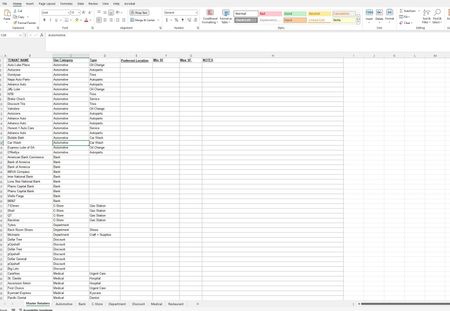
The FILTER function could work in the other direction quite easily. Have a master database that contains all the details, then use FILTER to populate various sub-categories. Beyond that, you may be talking Power Query, which I've never used.
But you'd be able to get more responses from others if you posted not an image, but rather a copy (or mockup) of the actual workbook. If you can't post it here, then use OneDrive or GoogleDrive and paste a link here that grants access.
- ksouth2090Jul 22, 2024Copper Contributor
Thank you!! mathetes Here's a copy of my workbook https://1drv.ms/x/s!AlTC4moHV3C7tVupH2viKGAUQHG3?e=KVBcbZ
- mathetesJul 22, 2024Gold Contributor
This is a demonstration of how easily the specific lists can be derived (using the FILTER function) from a single master. In fact, I've added a tab ("Flexible") that works for any one of the categories. You pick the one you want displayed, and it is dynamically created from your selection.
You can add new rows to the master list, and the subordinate (individual) category sheets will be automatically updated.
