Forum Discussion

Kin Mun Yeow
Oct 21, 2018Tin Contributor
emails missing
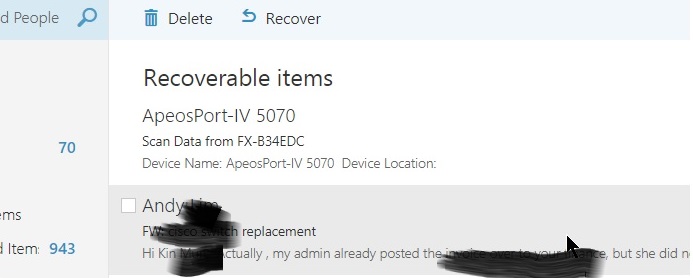
emails went to missing from folders. upon further checking, found that the emails went to deleted folders. i have to do recovery. i did the recovery of emails 3 times as i find that my emails went m...

VasilMichev
Oct 22, 2018MVP
Enable auditing on the mailbox, if you haven't done so already, then review the audit logs to find out who performed this action: https://docs.microsoft.com/en-us/office365/securitycompliance/enable-mailbox-auditing

Kin Mun Yeow
Oct 22, 2018Tin Contributor
have found the audit logs. found nothing except logins.
nothing that mentioned mails being moved/deleted
nothing that mentioned mails being moved/deleted
- Kin Mun YeowOct 22, 2018Tin Contributor
only managed to find this.
delete message from deleted folder
- VasilMichevOct 22, 2018MVP
Auditing will not include any past events, only events from the date you turned it on forward. In addition, by default only certain types of activities are audited, so make sure you follow the instructions in the article I linked to adjust the parameters accordingly.
- Kin Mun YeowOct 24, 2018Tin Contributormy audting was activated 2 months back on the advice of microsoft support.
the auditing logs still do not shows anything related to moving my mails to deleted.
i am still having issues with mails going to the deleted items folders. have to do recovery to get them back to my inbox/folders. i did a full recovery yesterday to recover everything inside the recover delete items folders. the number now is smaller at about less than 400.
