Forum Discussion

Chris-Yue
Dec 07, 2018Iron Contributor
Dialog Prompt box for authentication to O365 services
Environment:- Office 365 Business Essentials (aka no Office 365 Pro Plus) Office 2013 Standard (ISO Version) ADAL enabled When signing into O365 services (eg OneDrive) they get a dialog prompt...


VasilMichev
Dec 07, 2018MVP
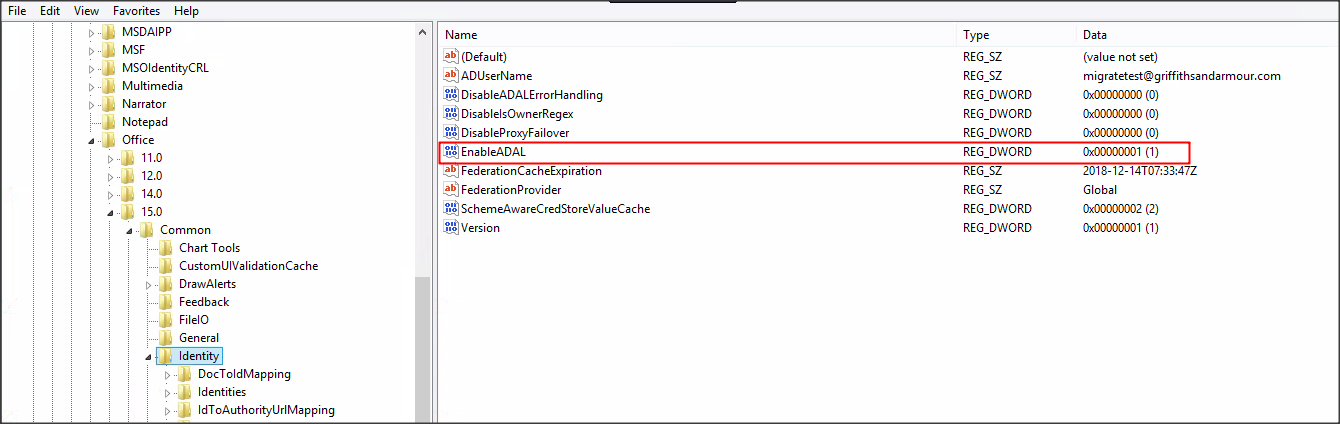
That's the old MSOIDCRL-backed prompt, not the ADAL one. On Office 2013, you need to manually enable Modern auth in the registry, so check for that: https://docs.microsoft.com/en-us/office365/admin/security-and-compliance/enable-modern-authentication?view=o365-worldwide
 Chris-YueDec 11, 2018Iron Contributor
Hi Vasil,
The registry entry was missing.
However after updating the entry, logging off and back in again, I am still presented with the old dialog box, but after signing in, I did catch a glimpse of the modern O365 "Trying to sign you in" dialog briefly.
However the outcome is still the same .
With regards to AD Connect, I am using 1.1.882.0
Any other ideas?