Forum Discussion

Changing the default Reply E-mail Address

 Christian_KlJul 02, 2021Copper Contributor
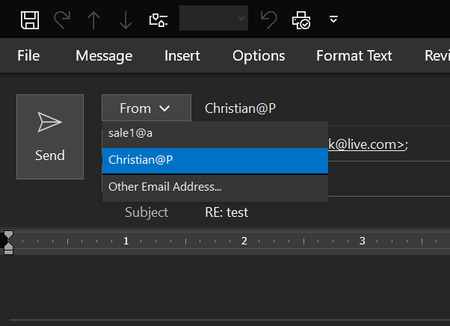
Hi! thanks for the idea. That seems to work only for composing new messages.
I need it to work when I "reply" to messages as well ....
Chris
- BSellers610Mar 29, 2024Copper Contributor
I have the exact opposite problem. I have multiple IMAP accounts. I have "A" set as default account.
If I compose a new email, it gets composed as from "A"
If I get an email addressed to "A" and I click on REPLY, the reply goes out as being from "A".
The problem is that, if I get an email addressed to "B" and I click on REPLY, the reply will go out as being from "A", unless I remember to change the FROM to "B".
I really want "A" replies to go out as from "A" and "B" replies to go out as from "B".
I have gone to File > Options > Mail > Send Messages and both checked and unchecked the box Always use the default account when composing new messages.
It does the same thing either way the box is checked or unchecked - when I reply to an email sent to "B", it defaults to sending it from "A".
According to this Microsoft document
https://support.microsoft.com/en-us/office/change-the-account-used-to-send-email-messages-2bdd8d4f-e30f-4ec8-88a0-406ce7b23cc5#:%7E:text=However%2C%20if%20you%20want%20to%20Reply%2C%20Reply%20All%2C%20or%20Forward%20a%20message%2C%20Outlook%20will%20send%20your%20message%20with%20the%20same%20account%20the%20original%20mail%20was%20sent%20to
it should not do that. But it does.
Any suggestions on how to correct?
