Forum Discussion

Can't get AD sync to Azure going

You need to be using Azure Active Directory Connect, not DirSync.
https://www.microsoft.com/en-us/download/details.aspx?id=47594
- DeletedSep 20, 2017Not applicable
Sorry, I should have said that I do not have an Azure account, just an Office 365 account.
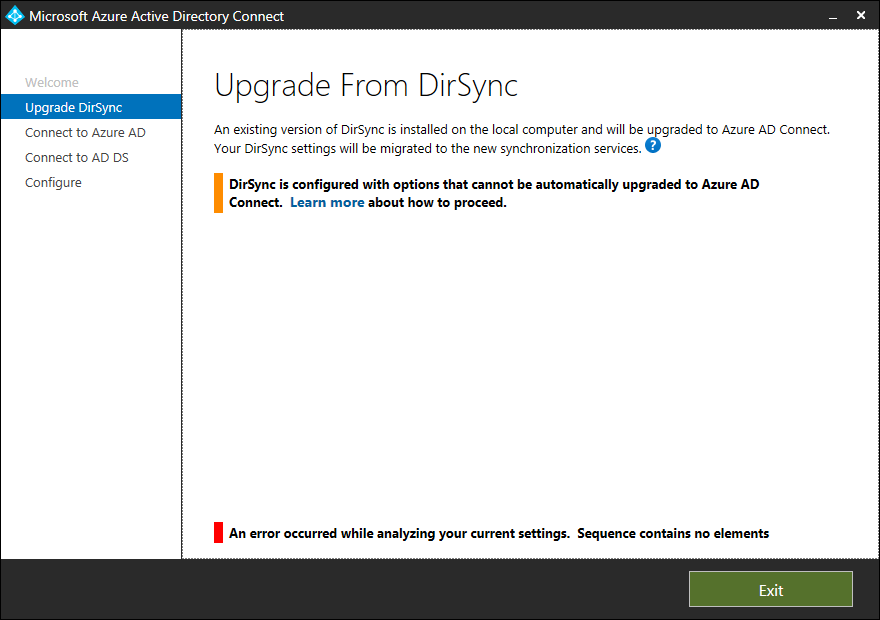
But Azure AD Connect fails, see screenshot.
According to Control Panel | Programs and Features dirsync is not installed. But a couple of Azure AD thingies are installed, I'll uninstall them and see what happens then.
- Sep 20, 2017
Hi Jon,
You have to Uninstall the Dirsync and install AD Connect.
- DeletedSep 21, 2017Not applicable
Did that, failed. But after I uninstalled some other AD Sync stuff from Programs and Features. I got AD Directory Connect installed! Woot!
One thing that does bother me is the reccomendation to enable Active Directory Recycle Bin. The "Learn more" link leads to a page that tells me the Recycle Bin is indeed a wonderful thing, but neither it nor the pages to which it links tells me how to do it. I managed to Google up the instructions, but "Enable Recycle Bin" is grayed out.
- Dean_GrossSep 20, 2017Silver Contributor
FYI, your Office 365 account is stored in Azure AD. It is getting copied from your on-premises AD to Azure AD and then copied again into the directories used by SPO, EXO and SkypeForBusiness