Forum Discussion

Ollie
Aug 15, 2019Brass Contributor
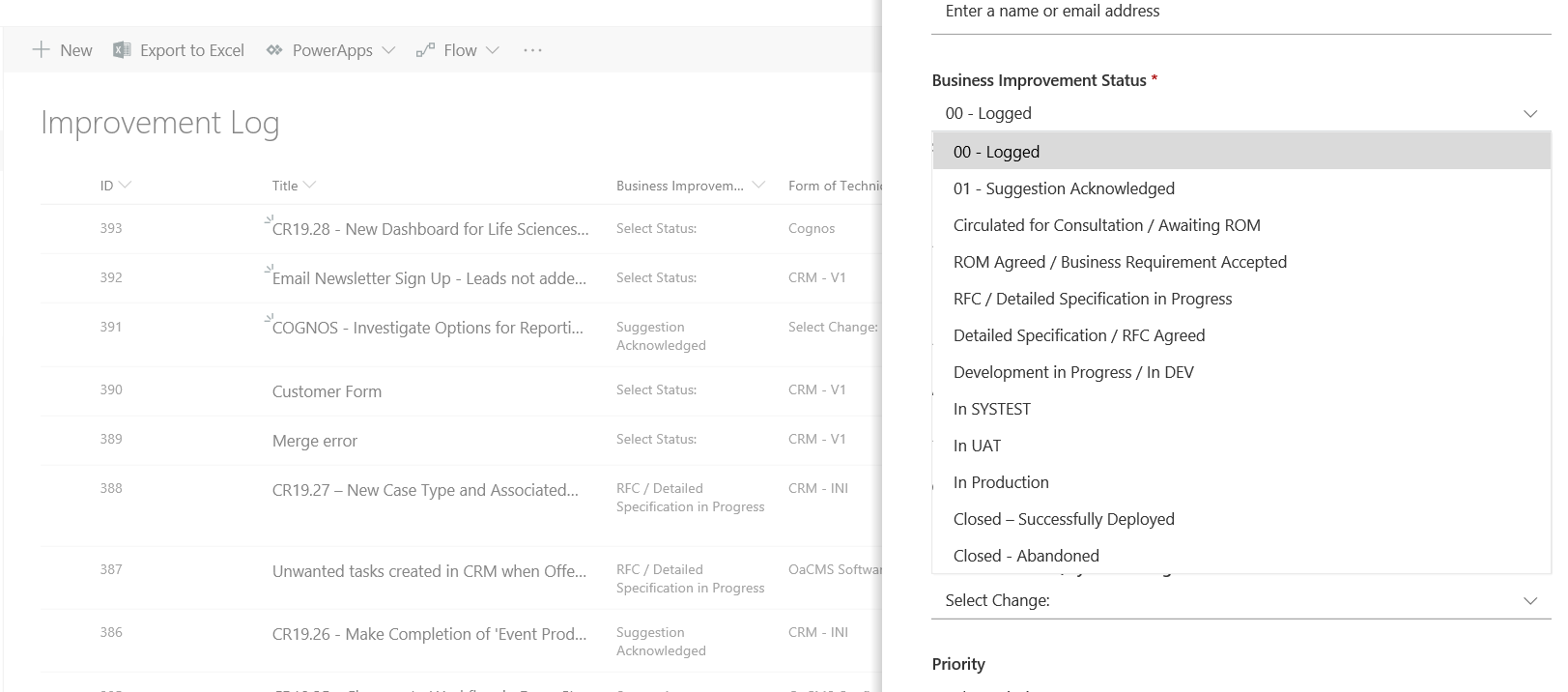
Bulk update rows in SharePoint list where I have changed the dropdown options in the "+New" form.
Hi, I am changing the names of some options when adding a new row to a SharePoint list, see attached image. eg. Select Status: is being changed to 00 - Logged How can I change the options while also updating the current data to match the changed names in the dropdown? Hope that makes sense? Thanks for your time, Ollie
2 Replies
- MagnusGoksoyrOLDProfileBronze Contributor
Ollie If You want all existing values to be updated with the renamed value the answer is that You will have to update them manually or via a script. In order to make that easier You can create a filtered view that shows the items with the old values and open the view in Quick Edit and "bulk edit" them from there.
Hope i understood Your need and that this helped you.
Best regards, Magnus
- OllieBrass ContributorThanks for this. Have you got an example of a script that would do this? Ollie