Forum Discussion

Stefano Colombo
Feb 12, 2024Brass Contributor
Certificate warning message
We have an issue with outlook client starting showing the "certificate invalid" message while connecting via VPN. The environment is an exchange 2010 DAG with CAS enabled. Outlook Anywhere IS NOT e...

Dan_Snape
Feb 12, 2024Bronze Contributor
You need to install the SSL certificate on the new Exchange server and update all the virtual directories and Autodiscover SCP records on the new server to match the name in the certificate.
Domain joined machines (VPN connectivity probably mimics the machine being on the local LAN) will automatically try and use the SCP of the latest Exchange server, so they are probably trying to connect to the new Exchange server. You can control client access via DNS when the autodiscover SCP record is updated
Domain joined machines (VPN connectivity probably mimics the machine being on the local LAN) will automatically try and use the SCP of the latest Exchange server, so they are probably trying to connect to the new Exchange server. You can control client access via DNS when the autodiscover SCP record is updated
 Stefano ColomboFeb 12, 2024Brass ContributorHi Dan,
sure I did it on the new servers. I immediately changed the autodiscover and all other url to point to the Url we selected to be used and solved by the certificate we installed.
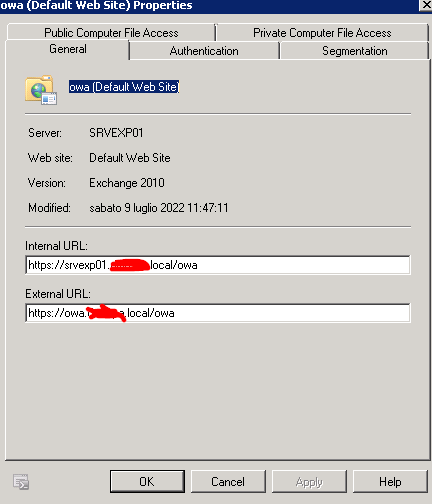
The strange thing is that client started to use the "external" url setting on the old server, which by the way was incorrectly set.