Forum Discussion

RuthLee
Feb 19, 2021Copper Contributor
Zooming Pixelates Text in Excel
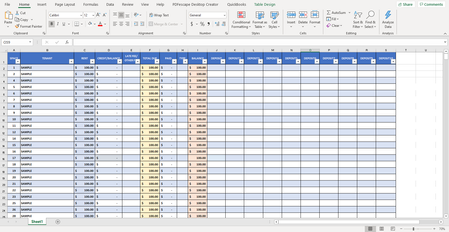
Hello all, I have several files that would be extremely helpful to view zoomed out. However, the text becomes rather pixelated at around 65% zoom, and the numbers are entirely unreadable at about...
- Feb 20, 2021
Do the following on the Windows computer:
- Click the Start button.
- Type regedit and press Enter.
- Navigate to Computer\HKEY_CURRENT_USER\SOFTWARE\Microsoft\Office\16.0\Excel\Options
- Select Edit > New > DWORD (32-bit) Value.
- Name the new entry FontSub and click OK or press Enter.
- Restart Excel.

HansVogelaar
Feb 20, 2021MVP
Do the following on the Windows computer:
- Click the Start button.
- Type regedit and press Enter.
- Navigate to Computer\HKEY_CURRENT_USER\SOFTWARE\Microsoft\Office\16.0\Excel\Options
- Select Edit > New > DWORD (32-bit) Value.
- Name the new entry FontSub and click OK or press Enter.
- Restart Excel.

RuthLee
Feb 21, 2021Copper Contributor
Thank you so much, that fixed it right away!