Forum Discussion

stillwatergirl
Jun 06, 2025Copper Contributor
Xlookup Displays Previous Match Results When Blank
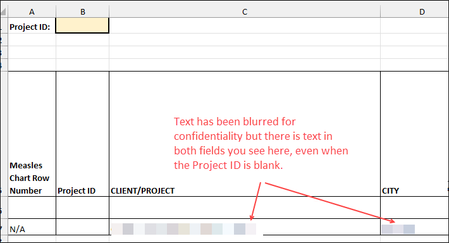
Hi, I created an Xlookup formula that looks for a match in cell B1 of my spreadsheet (see image below), returning data from other sheets in my workbook. The formula functions perfectly when there is ...

m_tarler
Jun 06, 2025Silver Contributor
I suspect you have a blank cell in 'SheetName' !$A$8:$A$1000 and that is what it is finding.
a simple bandaid is
=IF($B$1="","",XLOOKUP($B$1, 'SheetName' !$A$8:$A$1000, 'SheetName' !F$8$:$F$1000,"No Match Found",0))
but better yet is to make sure your data is 'good' and no blanks and instead of using fixed ranges like 'SheetName' !$A$8:$A$1000 which I assume is the first column of a table to 'Format as Table' (Home->Format as Table) and then NAME that table (once formatted you will see the Table menu and you can change the name of the Table. and then use table Structured Format like if the first column header is 'ID' then Table1[ID] will reference the entire column of ID data no more, no less and grow (or shrink) as the Table does.