Forum Discussion

amisav
Feb 21, 2024Copper Contributor
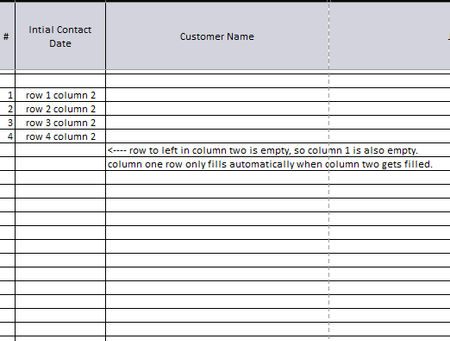
WHEN I FILL ONE ROW, I WANT ANOTHER ROW TO AUTOMATICALLY FILL WITH 1, then 2, then 3, etc.
So I have a table, and when I fill out one column, I would like the column to the left of it to automatically show a number starting with 1, then 2, then 3, then 4, etc. so every time I fill a ...

amisav
Feb 21, 2024Copper Contributor
If I do the first one, column one says 12
if I do the second one, row one says 0
But I'd like it to say "1"
Am I supposed to add anything to the formula you gave?
B1 would be column 2 row 1 correct?
if I do the second one, row one says 0
But I'd like it to say "1"
Am I supposed to add anything to the formula you gave?
B1 would be column 2 row 1 correct?

OliverScheurich
Feb 21, 2024Gold Contributor
Yes, B1 is column 2 row 1. Both formulas return the intended result in my sheet.
=IF(NOT(ISBLANK(B1)),ROW(),"")
This is the formula which is in cell A1 and filled down. In the screenshot is the german formula since i work with german Excel.
=IF(B1<>"",ROW(),"")
This is the other formula which is in cell A1 and filled down with the same result.