Forum Discussion

VLOOKUP FORMULA ISSUE
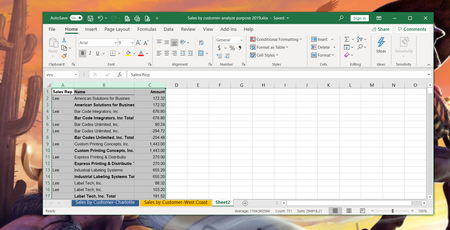

Short of that, my VLOOKUP experience is that it often fails because of “invisible “ trailing spaces in one of the fields involved
 Maria0009Nov 07, 2019Copper Contributor
Here you go. Probably seeing what I'm working with is better than my wishy washy explanation. Thank you!
- mathetesNov 08, 2019Gold Contributor
Can I ask you,Maria0009 : is this a spreadsheet that somebody else created and you are maintaining by following some written procedure that that other person gave you?
I ask in part because your own postings here suggest that you have at best a shaky understanding of Excel...but also because there are so very many named ranges in the spreadsheet that are invalid now... whether you created them or somebody else did.
AND I noticed that a few names on the different sheets differed in small ways (e.g., one with a period, the other without) although clearly referring to the same company--the kind of discrepancy that itself (a) will cause VLOOKUP not to work, and (b) is actually evidence of a poor fundamental design. You'd be much better served by using company codes of some kind that are entered once, not repeatedly, and are simple enough to check for consistency. Using a long customer name as the basis for VLOOKUP is something that can work, but is--shall we say--fragile. Simply because VLOOKUP is looking (in your formula) for an exact match, and it's so very easy to add a period to one and not have it in the other, to have a trailing space in one but not in the other, a comma in one and not in the other, an accidental spelling mistake in one and not in the ohter (intentional misspelling there to make the point).
IF indeed you are just maintaining this, and have a limited understanding of the deeper structure--the use of named ranges for example--then I strongly recommend seeing if you can get it back to the originator and asking for a more robust design. If that's not the case, if you are the one who created it, then come back here, please, and explain how some of the anomalies I've described came to be.
- mathetesNov 07, 2019Gold Contributor
Maria0009 First, I'm not at all sure what I'm working with here. I only found one VLOOKUP formula, and that was on one row in the spreadsheet "Sales by customer....." It seems to me that it had the wrong references, and I did get it working, by going in and re-specifying the cell ranges in the named range "vvv" and only knew to do that because your first description of the problem included that. FYI, when I went into the range naming dialog box it had "REF#REF#" rather than any cell references. It's possible that this was part of your problem.
Also, the formula that was in the cell read =IFERROR(VLOOKUP($B4,#REF!,20,FALSE)," ") when the corrected one now reads =IFERROR(VLOOKUP($B4,vvv,12,FALSE)," "). (Except that I replaced the "12" with a reference to a cell at the top, $M1, so that next month you can copy the formula as is to Nov and Dec columns and it will automatically get the 13th or 14th column in the LOOKUP table.
All of that said, it looks to me as if you might just have been careless in the formula. But if that's not making sense, please come back.'
By the way, it's not at all clear to me why you're apparently re-writing the formula each month (I say that because the prior months in this table all just have values in them, making it appear as if you may have used VLOOKUP to populate the column, and then done a Copy...Paste Special and replaced the formulas with the values only.