Forum Discussion

RamiAlsaber
Apr 17, 2022Copper Contributor
VB Macros are not running
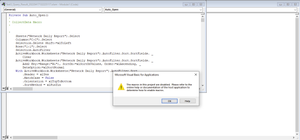
I have an issue when I try to run any macro, Macros are disabled. Does anyone know how to solve this issue? I tried repairing the office but it didn't work.

HansVogelaar
Apr 17, 2022MVP
Select File > Options > Trust Center > Trust Center Settings... > Macro Settings.
Select "Disable macros with notification", then click OK.
When you open a macro-enabled workbook, you should get a prompt to allow macros; click Yes.
You can set one or more folders as Trusted Locations in File > Options > Trust Center > Trust Center Settings... >Trusted Locations. If you save a workbook in a trusted location, macros will automatically be enabled.

RamiAlsaber
Apr 17, 2022Copper Contributor
HansVogelaar, Thank you for your response. I tried it and still VB macr.os are not running.
- HansVogelaarApr 17, 2022MVP
Does this occur in all workbooks or in one specific workbook?
- RamiAlsaberApr 17, 2022Copper Contributor
HansVogelaar all workbooks. As all macros are disabled.
- HansVogelaarApr 17, 2022MVP
What happens if you set Macro Settings to Enable VBA Macros, then quit and restart Excel?