Forum Discussion

Using named range with FILTER function in data validation list (dynamic dropdown)
- Dec 23, 2020
That's small sample file
Helper range expands automatically if you change the table except spills in column N shall be drag down. Data validation formula is
=XLOOKUP($H4&$I4,$L$9:L10&$M$9:$M10,$N$9:$N10)#It is expandable if take care about absolute/relative references.
Just mock-up, perhaps it could be done more elegant.


RockB115 Perhaps easier to help if you upload your file.

Riny_van_Eekelen Here is the link to the file: https://drive.google.com/file/d/13Hp6ecu2ttYJTs94UgeCF7fFfv2nhxhP/view
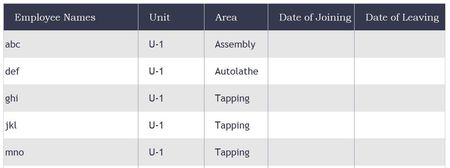
Take a look at the sheet "Employee Leave Tracker". There is a table called "Leave Tracker". I want all the rows of the table to have dynamic filtered dropdown for column "Employee Names". User selects values in first two columns "Unit" and "Area". The dropdown in the third column (Employee Names) should have a dynamic dropdown based on values selected in the previous two columns and this should work for all rows of the table.
The master data for all the filtering is located in the sheet "List of Employees" in a table called "Employees"
I was only able to get it working for only one row of the table.