Forum Discussion

Using multiple fields in pivot table rows
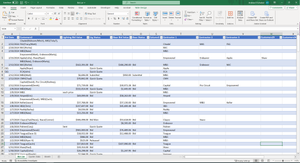
- Feb 22, 2024
Thanks for the sharing
- I asked actual Table. In your initial pic. it goes at least until col. X. What you shared goes till col. P
This isn't a problem IF in what you shared we have the columns we need for the various calc. in the PivotTable - I highlighted them in green (hided the others) according to my understanding - (In your comments) Open to resolving with a different format for entering customer names
You can keep recording as you do IF: 1) Customers (on the same row) are always delimited with a comma; 2) SalesRep is always after the 1st opening parenthesis - In sheet 'Expected' I highlighted some variances + add. comments. On the $ amounts I think I'm right
How from your Table to the PivotTable
This is done with Get & Transform aka Power Query. Basically (all done with the UI only, only renamed the steps so you can easily follow & understand):
- Select required columns only
- Split Customer(s) to new rows on delimiter comma
- Split Customer and SalesRep in 2 columns on 1st opening parenthesis
- Remove [SalesRep]
That's it for now. But this isn't good yet as there's something you didn't say and I couldn't figure out - see below
Total Jobs Won
Currently unresolved/off vs. your expectation. Once we've done the above transformations with Power Query, we get:
Consequently (assuming I understood how to count Jobs Won) in the PivotTable we get:
#1 To update the query - you will have to explain exactly how to identify a Contractor is "linked" to only 1 Customer (and to which one) when we have > 1 Customer on the same row/record (I could make an assumption but I don't like)
#2 Is it possible you have > 1 Contractor on the same row? Something like:
- If you do, how are they delimited (comma again)?
- Cf. #1, how do we map Customers and Contractors?
I'm gonna be off for +/- a week. There are other contributors to this community who can help you further with this
PS: If it was me I would take this opportunity to clean/rename the Table headers... (the query would need to be updated accordingly - easy)
- I asked actual Table. In your initial pic. it goes at least until col. X. What you shared goes till col. P

Thanks for the sharing
- I asked actual Table. In your initial pic. it goes at least until col. X. What you shared goes till col. P
This isn't a problem IF in what you shared we have the columns we need for the various calc. in the PivotTable - I highlighted them in green (hided the others) according to my understanding - (In your comments) Open to resolving with a different format for entering customer names
You can keep recording as you do IF: 1) Customers (on the same row) are always delimited with a comma; 2) SalesRep is always after the 1st opening parenthesis - In sheet 'Expected' I highlighted some variances + add. comments. On the $ amounts I think I'm right
How from your Table to the PivotTable
This is done with Get & Transform aka Power Query. Basically (all done with the UI only, only renamed the steps so you can easily follow & understand):
- Select required columns only
- Split Customer(s) to new rows on delimiter comma
- Split Customer and SalesRep in 2 columns on 1st opening parenthesis
- Remove [SalesRep]
That's it for now. But this isn't good yet as there's something you didn't say and I couldn't figure out - see below
Total Jobs Won
Currently unresolved/off vs. your expectation. Once we've done the above transformations with Power Query, we get:
Consequently (assuming I understood how to count Jobs Won) in the PivotTable we get:
#1 To update the query - you will have to explain exactly how to identify a Contractor is "linked" to only 1 Customer (and to which one) when we have > 1 Customer on the same row/record (I could make an assumption but I don't like)
#2 Is it possible you have > 1 Contractor on the same row? Something like:
- If you do, how are they delimited (comma again)?
- Cf. #1, how do we map Customers and Contractors?
I'm gonna be off for +/- a week. There are other contributors to this community who can help you further with this
PS: If it was me I would take this opportunity to clean/rename the Table headers... (the query would need to be updated accordingly - easy)

So it will NOT be possible to have more than 1 contractor on the same row. How would you construct a query to eliminate duplicate winning contractor entries? In your screenshot, you show Endeavor on 3 lines, ideally it would only be on 1 line: the line with Endeavor as the customer. I can think logically about how this would be done but am not sure the exact syntax required in power query. Thanks!
- LorenzoMar 02, 2024Silver Contributor
Don't know if you have this kind of record:
and if it would make sense to count jobs as follow in the PivotTable:
If it does a way to do it is attached
- LorenzoMar 01, 2024Silver Contributor
(I was off). Updated the query to "fix" the [Winning Contractor] as follow:
IF [Customer] = [Winning Contractor] THEN keep the [Winning Contractor] ELSE null
Works for you or do you need something more sophisticated?