Forum Discussion

Using Filters to Auto-Update Complex Formulas
- May 15, 2025
It is
=COUNTIFS( A$16:A$4202,"*8*", Table[IsFiltered], 1 )or
=COUNTIFS( A$16:A$4202,"*8*", Z$16:Z$4202, 1 )


Thanks for responding to my inquiry. Wish there was a way to upload my template for other users to play with.
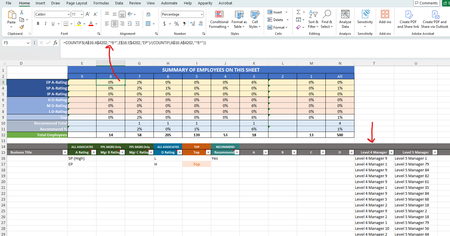
Column A is "Employee Level (1-8)". Formula in F3 should be counting rows where Employee Level = 8, and Column E ("A Rating") is = EP (Excellent Performance). This is being divided by the total number of Employees at Level 8 (F12), so C3 cell shows % of Level 8 employees with an EP Rating. There are a total of 14 employees at Level 8 in this data set.
Per your suggestion, I've added Column Z titled "IsFiltered" with your formula where the ID is the Employee Identification Number. I'm attempting to concentrate on just the numerator portion. I'm not sure I'm applying your suggestion correctly. Below is what I'm attempting to enter in the cell. Excel is saying there is something incorrect by highlighting the "Table[IsFiltered]" part of the formula.
=COUNTIFS(COUNTIF(A$16:A$4202,"*8*"), Table[IsFiltered], 1 )
I attempted to change it to reference Column Z (IsFiltered) by changing the formula to the below, but then I get the error message, "You've entered too few arguments for this function."
=COUNTIFS(COUNTIF(A$16:A$4202,"*8*"), Z$16:Z$4202, 1 )
Any suggestions?

try checking your dollar sign to know what exactly you locked , you rows or columns