Forum Discussion

Using A Dropdown List To Organize Hidden Rows
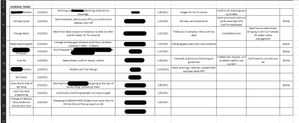


tzaharia Here are some notes on the changes made:
1. The workbook has been saved from .xlsx to .xlsm to host the VBA/macros since it needs to be Macro-enabled
2. The yellow box is where you input the row to be unhidden, with the Unhide button to active the function
3. The view the VBA, click Alt + F11 and you'll be to see them in Module1
- tzahariaJan 14, 2021Copper Contributor
adversi Quick follow up. Is this set to only unhide either one row or all, or can I do multiple rows? I attempted to test it by placing the following rows in the yellow cell; "7, 8", "7 8", "7; 8", and "7: 8"
None of that worked so I'm assuming either I am not inputting the correct function elements in, or it can only do singular rows at a time. Either is fine, I just wanted to make sure I'm familiar with it's capability. Thanks again.