Forum Discussion

Use VBA to Autofill a Row until the end of the number of data in another row
 Mar 25, 2019
Hi Haytham Amairah,
I was facing similar issues and chanced upon this thread. If i have two columns (O and P) that i wish to autofill via VBA, do I amend the code from:
Selection.AutoFill Destination:=Range("O2:P313")
Range("O2:P313").Selectto:
Selection.AutoFill Destination:=Range("O2:O" & Range("E" & Rows.Count).End(xlUp).Row)
Range(Selection, Selection.End(xlDown)).Select
Selection.AutoFill Destination:=Range("P2:" & Range("E" & Rows.Count).End(xlUp).Row)
Range(Selection, Selection.End(xlDown)).Select

If you need to fill the column H with the content of only cell A2 so that each cell in column H will be filled with the same text in cell A2.
Then you just need to lock the formula in cell H2 as follows:
=$A$2

Hi Amairah,
I have a question somewhat similar to the post above.
Currently, I want to create a column with a function and want to autofill the column with the function until the end of the row
However, I wish to put in the number to rows so that it works on any worksheet (maybe with different number of rows)
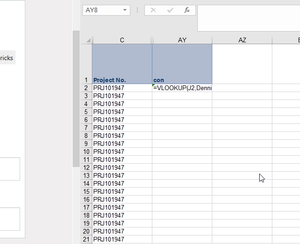
Screenshot below is the formula I want to put into the column and autofill until the end of the row for any worksheet.
Also, this is what I have so far
Sub MacroCode_Column fill
Dim myFirstColumn As Integer
Dim myLastColumn As Integer
Dim myFirstFieldRow As Integer
Dim myFirstDataRow As Integer
Dim myLastDataRow As Integer
myFirstFieldRow = 5
myFirstDataColumn = Cells(5, Columns.Count).End(xlToLeft).Column + 1
myLastDataRow = Cells(Rows.Count, 1).End(xlUp).Row
'Multiple Occurred
ActiveSheet.Cells(myFirstFieldRow, myFirstDataColumn + 6).Select
ActiveCell.Formula = "MCO Incurred"
ActiveCell.Offset(1, 0).Select
ActiveCell.FormulaR1C1 = "=SUMIF(R6C5:R1321C5,RC5,R6C22:R1321C22)*RC31"
Selection.AutoFill Destination:=Range(Cells(myFirstFieldRow + 1, myFirstDataColumn + 6), Cells(myLastDataRow, myFirstDataColumn + 6))
Thank you in advance!!
 JamieHacheySep 16, 2019Copper ContributorHi @Haytham, I'm trying to do the same as above to autofill multiple columns to varying rows and I have tried a couple of different things I've seen above, but I fear I don't have the excel coding knowledge to know what I'm doing wrong. the following is my macro and I'd like the "E145040" to be variable. I also dont know if I need to change the "$A$915118", "$C$915118", "$E$915118", "$G$915118" and "$AC$145040" as well. Thank you so much in advance! Sub Macro5() ' ' Macro5 Macro ' ' Range("Y1").Select ActiveCell.FormulaR1C1 = "COMP" ActiveCell.Offset(1, 0).Range("A1").Select ActiveCell.FormulaR1C1 = _ "=IF(RC[-21]=""Closed"",1,IF(RC[-21]=""Cancelled"",1,0))" ActiveCell.Offset(-1, 1).Range("A1").Select ActiveCell.Select ActiveCell.FormulaR1C1 = "PROC" ActiveCell.Offset(1, 0).Range("A1").Select ActiveCell.FormulaR1C1 = _ "=IF(OR(RC[-22]=""Closed"",RC[-22]=""Verified"",RC[-22]=""Ready_To_Verify"",RC[-22]=""Cancelled""),1,IF(OR(RC[-22]=""Assigned"",RC[-22]=""Reassigned"",RC[-22]=""Pending""),IF(COUNTIF(RC[-11]:RC[-8],""Yes/Oui"")>0,1,0),0))" ActiveCell.Offset(-1, 1).Range("A1").Select ActiveCell.FormulaR1C1 = "PC" ActiveCell.Offset(1, 0).Range("A1").Select ActiveCell.FormulaR1C1 = _ "=IF(OR(RC[-23]=""Reassigned"",RC[-23]=""Assigned"",RC[-23]=""Pending""),IF(COUNTIF(RC[-12]:RC[-9],""Yes/Oui"")>0,1,0),0)" ActiveCell.Offset(-1, 1).Range("A1").Select ActiveCell.FormulaR1C1 = "VER" ActiveCell.Offset(1, 0).Range("A1").Select ActiveCell.FormulaR1C1 = _ "=IF(RC[-24]=""Verified"",1,IF(RC[-24]=""Ready_To_Verify"",1,0))" ActiveCell.Offset(-1, 1).Range("A1").Select ActiveCell.FormulaR1C1 = "UNPROC" ActiveCell.Offset(1, 0).Range("A1").Select ActiveCell.FormulaR1C1 = _ "=IF(OR(RC[-25]=""Closed"",RC[-25]=""Verified"",RC[-25]=""Ready_To_Verify"",RC[-25]=""Cancelled""),0,IF(OR(RC[-25]=""Assigned"",RC[-25]=""Pending""),IF(COUNTIF(RC[-14]:RC[-11],""Yes/Oui"")>0,0,1),1))" ActiveCell.Offset(0, -4).Range("A1:E1").Select Selection.AutoFill Destination:=ActiveCell.Range("A1:E145040") ActiveCell.Range("A1:E145040").Select Sheets.Add After:=ActiveSheet Sheets("Sheet1").Select Rows("1:1").Select Selection.AutoFilter ActiveSheet.Range("$A$1:$AC$145040").AutoFilter Field:=25, Criteria1:="0" Columns("J:J").Select Selection.Copy Sheets("Sheet2").Select Range("A1").Select ActiveSheet.Paste Sheets("Sheet1").Select Application.CutCopyMode = False ActiveSheet.ShowAllData Range("Z2").Select ActiveSheet.Range("$A$1:$AC$145040").AutoFilter Field:=26, Criteria1:="0" Columns("J:J").Select Selection.Copy Sheets("Sheet2").Select Range("C1").Select ActiveSheet.Paste Sheets("Sheet1").Select Application.CutCopyMode = False ActiveSheet.ShowAllData Range("M2").Select ActiveSheet.Range("$A$1:$AC$145040").AutoFilter Field:=27, Criteria1:="1" Columns("J:J").Select Selection.Copy Sheets("Sheet2").Select Range("E1").Select ActiveSheet.Paste Sheets("Sheet1").Select Application.CutCopyMode = False ActiveSheet.ShowAllData Range("M2").Select ActiveSheet.Range("$A$1:$AC$145040").AutoFilter Field:=28, Criteria1:="1" Columns("J:J").Select Selection.Copy Sheets("Sheet2").Select Range("G1").Select ActiveSheet.Paste Columns("A:A").Select Application.CutCopyMode = False ActiveSheet.Range("$A$1:$A$915118").RemoveDuplicates Columns:=1, Header:= _ xlNo Columns("C:C").Select ActiveSheet.Range("$C$1:$C$915118").RemoveDuplicates Columns:=1, Header:= _ xlNo Columns("E:E").Select ActiveSheet.Range("$E$1:$E$915118").RemoveDuplicates Columns:=1, Header:= _ xlNo Columns("G:G").Select ActiveSheet.Range("$G$1:$G$915118").RemoveDuplicates Columns:=1, Header:= _ xlNo Sheets("Sheet1").Select ActiveSheet.ShowAllData Sheets.Add After:=ActiveSheet Sheets("Sheet1").Select ActiveSheet.Range("$A$1:$AC$145040").AutoFilter Field:=9, Criteria1:= _ "PA Exceptions – Exception PA" Cells.Select Range("J1").Activate Selection.Copy Sheets("Sheet3").Select Range("A1").Select ActiveSheet.Paste Application.CutCopyMode = False Sheets.Add ActiveWorkbook.PivotCaches.Create(SourceType:=xlDatabase, SourceData:= _ "Sheet3!R1C1:R981068C29", Version:=xlPivotTableVersion15).CreatePivotTable _ TableDestination:="Sheet4!R3C1", TableName:="PivotTable3", DefaultVersion _ :=xlPivotTableVersion15 Sheets("Sheet4").Select Cells(3, 1).Select With ActiveSheet.PivotTables("PivotTable3").PivotFields("User ID") .Orientation = xlRowField .Position = 1 End With ActiveSheet.PivotTables("PivotTable3").AddDataField ActiveSheet.PivotTables( _ "PivotTable3").PivotFields("PROC"), "Sum of PROC", xlSum ActiveWindow.SmallScroll Down:=-84 Sheets("Sheet1").Select ActiveSheet.ShowAllData Sheets("Sheet1").Select Sheets("Sheet1").Name = "1.0 PA RAW" Sheets("Sheet4").Select Sheets("Sheet4").Name = "2.1 production" Sheets("Sheet3").Select Sheets("Sheet3").Name = "2.0 PA exceptions" Sheets("Sheet2").Select Sheets("Sheet2").Name = "1.1 Daily update" End Sub
- Haytham AmairahAug 30, 2019Silver Contributor
Hi,
I suggest you post this question in a separate post by starting a new conversation in here.
If you didn't find the answer, you may ask this https://stackoverflow.com/questions/tagged/vba instead under [vba] tag.
Regards
- D_Jang3884Aug 30, 2019Copper Contributor
Hi Amairah,
Sorry if I asked a non-related question to the post but regarding to your question - basically I want to update the number of rows to the formula below using the following variables (which I created to set first row to be 5 and the last row to be determined based on data I'm using)
Dim myFirstDataRow As Integer
Dim myLastDataRow As IntegermyFirstFieldRow = 5
myLastDataRow = Cells(Rows.Count, 1).End(xlUp).Row
and the formula I want to update is below
ActiveCell.FormulaR1C1 = "=SUMIF(R6C5:R1321C5,RC5,R6C22:R1321C22)*RC31"
Currently, the rows in the formula is in numbers but I wish to replace it using dimensions.
I would greatly appreciate it if you could help or direct me to where I can ask.
Thanks!!
- Haytham AmairahAug 30, 2019Silver Contributor
Hi,
Based on what you want to fill the formula down?
You see that the solutions here in this conversation focus on filling the rows in a column based on the number of rows of another column.