Forum Discussion

Trying to return a result based on permutations from a data set

 NotAnExcelWizardOct 31, 2023Copper Contributor
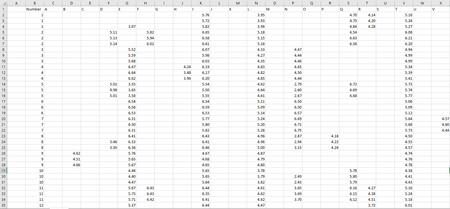
Excelonlineadvisor I have 22 categories labeled A-V (A, B, C, D, E, etc...). Each category has a list of 15,000 samples associated (1, 2, 3, 4..., 15000). I would like to look at whether or not there is a value associated with a sample number for each set of 3 or 4 categories. A smaller example is shown in the table below:
By using the following formula, I can return whether categories A, B, and C all contain a value >0 for any given sample.
=IF(AND(A>0, B>0, C>0), "yes", "no")
I would like to be able to create a formula that could look at all combinations of 3 or 4 categories and return the number of cases in which a value >0 is detected in all of the categories at once.
I'm capable of doing this the long and strenuous way, however, there are over 9,000 combinations of 3 categories that I would have to look at so I am wondering if there is a way to better automate this.
 OliverScheurichOct 31, 2023Gold Contributor
=SUM(BYROW(AG1:AI9240,LAMBDA(r,N(SUM(N(BYCOL(CHOOSECOLS(J2:AE8,XMATCH(r,J1:AE1)),LAMBDA(c,MAX(c)>D1))))=3))))
With Office 365 or Excel for the web this formula returns the intended result. In cell D1 is the number which is compared like this:
=IF(AND(A>D1, B>D1, C>D1), 1, 0)
The 9240 combinations are in range AG1:AI9240 in my sheet. The 0 and 1 in column AJ tell if all 3 categories are above the value from cell D1. E.g. categories A, B and C all have a value greater 5 therefore 1 is returned in cell AJ1. The above formula returns the sum from column AJ range AJ1:AJ9240 in cell H1 in this example.
- ExcelonlineadvisorOct 31, 2023Iron ContributorDue to large number of possible comination, its better to do this using power query or VBA. Hope someone in this community may help you.