Forum Discussion

too many decimals places returned with concat from field with only two decimals
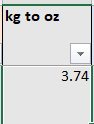
- Feb 09, 2024
Use the TEXT function:
=CONCAT([@[Approx Dimentions]],CHAR(10),"Approx Wt (oz): ",TEXT([@[kg to oz]], "0.00"),CHAR(10),CHAR(10),[@description],CHAR(10),CHAR(10),[@Origin])
or
=[@[Approx Dimentions]]&CHAR(10)&"Approx Wt (oz): "&TEXT([@[kg to oz]], "0.00")&CHAR(10)&CHAR(10)&[@description]&CHAR(10)&CHAR(10)&[@Origin]


I have the same "too many decimal places" problem with a CONCAT formula, but mine is much simpler and the one that was fixed earlier in this discussion is way over my head. My formula is CONCAT(C83/C84,":1") with the hope of returning a "3.32:1" ratio. Instead, I'm getting "3.31632653051224:1." How can I adjust the number of decimals? Thank you in advance.

gorsuchjim The answer is still to use the TEXT() function (see Hans' first line). So you want to format a number to a fixed number of decimal places you use TEXT( [number], "format" ) so for 2 decimal places it would be TEXT( [number], "0.00" ). So in your example:
=CONCAT( TEXT(C83/C84, "0.00") ,":1")
so then the result of C83/C84 will be formatted to have 2 decimal places then CONCAT with ":1"
best of luck