Forum Discussion

Text After Delimiter
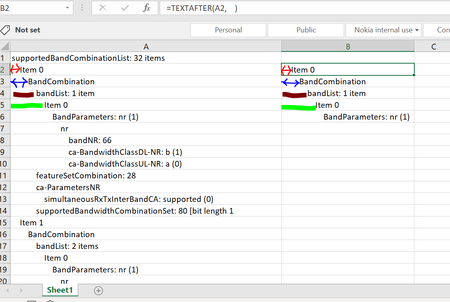

Patrick2788Thanks Patrick , but the intention is to put the text with different space in different columns
Br,
Anupam

Then I will have to indulge:
=LET(
    Level, (LEN(List) - LEN(TRIM(List))) / 4,
    MAKEARRAY(
        ROWS(List),
        7,
        LAMBDA(r, c, IF(c = INDEX(Level, r), INDEX(List, r), ""))
    )
)
- anupambit1797May 29, 2023Steel Contributor
Patrick2788Thank you Very much Patrick, this is very cool! Sorry for stupid question though..
List , I understood you used the Name Manager, what does "Level" ,"r" and "c" stands for here? and how to check their definition.. in the Name Manager only "List" is defined,
Thanks & Regards
Anupam Shrivastava
- PeterBartholomew1May 29, 2023Silver Contributor
In Patrick's proposed solution, 'level' 'r' and 'c' are local variables, both defined and used within the formula. It is the LET function that defines 'level' to be the count of spaces trimmed, divided by 4.
Similarly, 'r' and 'c' are integer variables that are passed as parameters to the LAMBDA function by the helper function MAKEARRAY. 'r' will go from 1 to the number of rows, whilst 'c' increments over 7 columns. If you look up the documentation for the functions, the syntax should become a little clearer.
As I mentioned above, there is nothing in traditional spreadsheets that would prepare one for modern Excel! The share a common library of functions, but from that point there is little similarity.
- Patrick2788May 29, 2023Silver Contributor
I can see where things might become confusing. Excel's formula evaluation tools are still catching up:
There might be some changes coming to the formula bar (and function arguments hopefully):
