Forum Discussion

table of contents
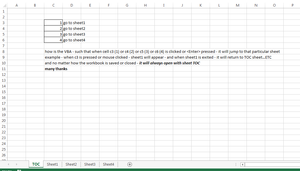
- Apr 04, 2018
Lorenzo you don't need VBA to do what you require.
Simply Right Click in Cell C3 > Link > Insert Link > Place In This Document > Select the sheet you want to navigate to.
If you want VBA this will do the trick.... put this code in the TOC code Module:
Private Sub Worksheet_SelectionChange(ByVal Target As Range)

    Select Case Target.Address
        Case "$C$3": Sheets("Sheet1").Activate
        Case "$C$4": Sheets("Sheet2").Activate
        Case "$C$5": Sheets("Sheet3").Activate
        Case "$C$6": Sheets("Sheet4").Activate
    End Select

End Sub


Mr Matt Mickle
Thank you for your quick reply
the vba worked nicely - but can you please insert this:
when I press X at the upper right corner of the sheet - it will not close the workbook but will return to the first sheet (TOC) and in that TOC sheet is the control for exiting (closing) the file (say on cell c9)
that is - all other sheets has no provision to close the file except to return to sheet TOC
Many thanks
Mr Matt Mickle
wow! faster than mercury! Thank you.
work like a charm!
may I request that you put a mssg box at c9 with buttons save/don't save/cancel (return to TOC)
so that it will not right away close the workbook...
many thanks