Forum Discussion

Table cells shrink unwanted
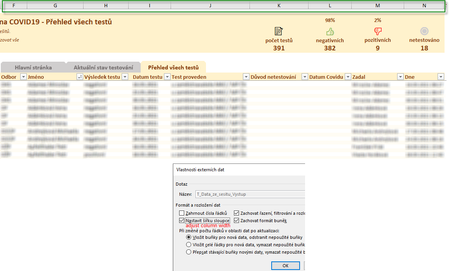
- Apr 07, 2021
Zdenek, if you uncheck "Adjust column width" column width will be as you set it manually (without changing), otherwise it changes it based on some logic in background.

I was thinking of this solution. The disadvantage is, that when new data come and they are very wide, they do not fit to my manually adjusted columns. Anyway I hope it is less devil for the customer then the shrinked cells.
Next workaround was to set the option “Refresh data when opening the file”. Because refresh query sets the columns width properly. But the "shrinked cells" issue appeared sometimes again. So it means, that the query was not refreshed after opening the workbook ... really strange. Is there any situation, that the query will not refresh despite the checkbox “Refresh data when opening the file”?

About refresh - if you checked refresh on opening it shall be refreshed. If that doesn't affect columns that doesn't mean query is not refreshed.