Forum Discussion

NWVNWV
Jun 30, 2021Copper Contributor
SUMPRODUCT with interruptions in the columns
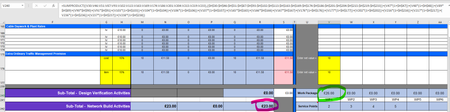
Hello. Can anyone advise - I would like to use SUMPRODUCT on two columns. Column H has a combination of money values and percentages in each cell (I have a price list some are monetary rates so...
- Jul 01, 2021
There seems to be some self-inflicted damage in terms of the way the problem is set up. The data analysis would be far more robust if entire columns could be used (as SergeiBaklan recommends)
= SUM(IF(base>0, base*(1+value)))
where 'value' is the uplift when a base value is specified.
Better still, you could rearrange the columns so that the costs are in one column and the uplifts (mainly zero) in the other.
= SUM(IF(uplift>0, (1+uplift)*base, 0))
where 'base' is the currency amount and 'uplift' is a percentage.


Ashutosh_Dwivedi
Jun 30, 2021Copper Contributor
Dear sir
Whatever your value is going to double, you can divide by 2 which value will be double
Anyway If you share the file, then i will do better.
Whatever your value is going to double, you can divide by 2 which value will be double
Anyway If you share the file, then i will do better.

NWVNWV
Jun 30, 2021Copper Contributor
Thank you for the response. I don't quite follow. Attached is a reduced version of the spreadsheet. The SUMPRODUCT formula should be returning £23 rather than £26 in this particular example.