Forum Discussion

=Sumif wont return value!
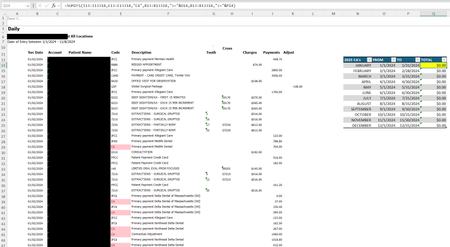

Please check these:
Ensure that the cells in the Total column (Q) are formatted as numbers and not text.
In SUMIFS, each range must be the same size. Make sure that all ranges in your formula (e.g., T13:T318, E13:E318, etc.)
Double-check that the criteria you’re using in your formula are exactly as they appear in the table (case-sensitive and without extra spaces)
please verify you formula would be =SUMIFS(T13:T318, E13:E318, "CA", B13:B318, ">=01/01/2024", B13:B318, "<=01/31/2024")
You may want to use actual date cells instead of hardcoding dates:
=SUMIFS(T13:T318, E13:E318, "CA", B13:B318, ">="&DATE(2024,1,1), B13:B318, "<="&DATE(2024,1,31))
This approach avoids issues with regional date formats.
Try testing each condition separately to ensure they return expected results:
Test with just the Account criterion: =SUMIFS(T13:T318, E13:E318, "CA")
Then add the date range criteria one by one
===================================
If SUMIFS still doesn’t work, you could try using SUMPRODUCT
=SUMPRODUCT((E13:E318="CA")*(B13:B318>=DATE(2024,1,1))*(B13:B318<=DATE(2024,1,31)), T13:T318)