Forum Discussion

jclutie79
Nov 08, 2024Copper Contributor
=Sumif wont return value!
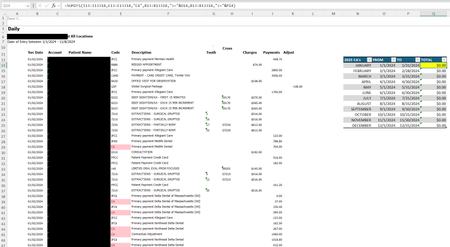
Can someone assist me with this formula, and why it won't add up the sums, please?

SnowMan55
Nov 08, 2024Bronze Contributor
Suggestions:
- Verify that column I contains numbers (rather than text values). For example, use formulas such as =TYPE(I14) in otherwise unused cells; the returned values should be 1. Documentation: https://support.microsoft.com/en-us/office/type-function-45b4e688-4bc3-48b3-a105-ffa892995899
- Verify that column E values do not include trailing (or leading) spaces.
- Use "sticky" cell addresses (either mixed or absolute addresses) when referencing the values in columns B, E, and I. Specifically, put dollar signs immediately in front of the "13"s and "13318"s; dollar signs in front of the column letters are optional. If you don't do the former, Excel will modify those row numbers as you copy the formula from Q14 down.