Forum Discussion

SUMIF help??
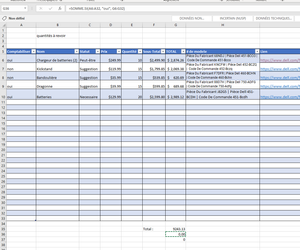

I suspect that the values in column G are text. Try the following:
Select G6:G33.
Press Ctrl+H to activate the Replace dialog.
Enter $ followed by a space in the 'Find what' box.
Leave the 'Replace with' box blank.
Click 'Replace All'.
If Excel complains that it cannot find the value, delete the space after $ and type Alt+0160 (using the numeric keypad), then try again.
Do you get a non-zero sum now?

HansVogelaar Thank you for your help. I ended up finding the problem right after I posted the question. The criteria in my sumif was "oui" but in my column A the values were "oui ", notice the extra space. I fixed by adding the space to my creteria. Also the values from column G were just numbers at the beginning, not text, and the dollar sign got added when I changed the format of those cells to finances.
- HansVogelaarMay 25, 2022MVP
Glad you found it.