Forum Discussion

MianoZanVero
Mar 17, 2019Copper Contributor
Subtracting from one cell
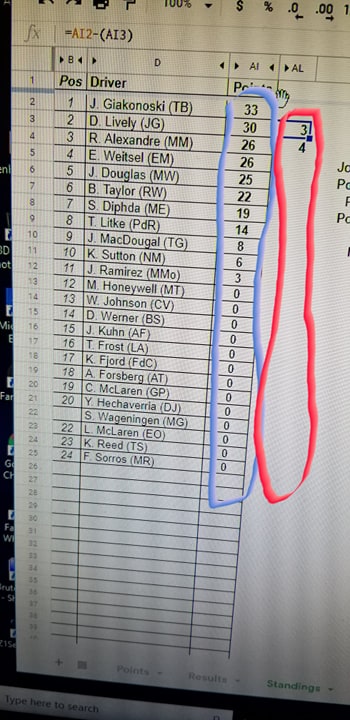
So I have AI2. I want the red column to represent the "points behind" of the numbers in column Blue from AI2. I could just go =AI2-AI3 and so on but that'd be time-consuming. Is there a formula to pull this off quickly? Thank you.
2 Replies
- SergeiBaklanDiamond Contributor
MianoZanVero , other way you may add formula into AL3 (first in red), stay on it, Shift, click on AL25 or what is the end of your range (other words select red column) and press Ctrl+D.
 Paul_67Copper Contributor
I would convert your data into an Excel table (Ctrl + T).
You can still use your formula and when you add new data it will auto populate.