Forum Discussion

lukimraz
Apr 19, 2023Copper Contributor
Substracting from multiple cells
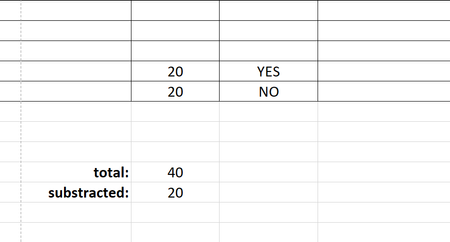
Hey guys, not able to help myself so I'm trying here. I have a large document where I have summarized all the numbers in one column. Now, if there is a YES next to that number, I need the number...

NikolinoDE
Apr 19, 2023Platinum Contributor
You can use an IF function to check whether the adjacent cell contains “YES” or “NO” and then subtract or add the value accordingly.
For example, if your summary column is column A and the column with “YES” or “NO” is column B, you could use a formula like this in the cell below the summary of all the numbers:
=IF(B2="YES", A2-SUM(A:A), A2+SUM(A:A))
This formula checks if the value in cell B2 is “YES”. If it is, it subtracts the value in cell A2 from the sum of all the numbers in column A.
If the value in cell B2 is not “YES”, it adds the value in cell A2 to the sum of all the numbers in column A.