Forum Discussion

Structured Tables, Names and dynamic list
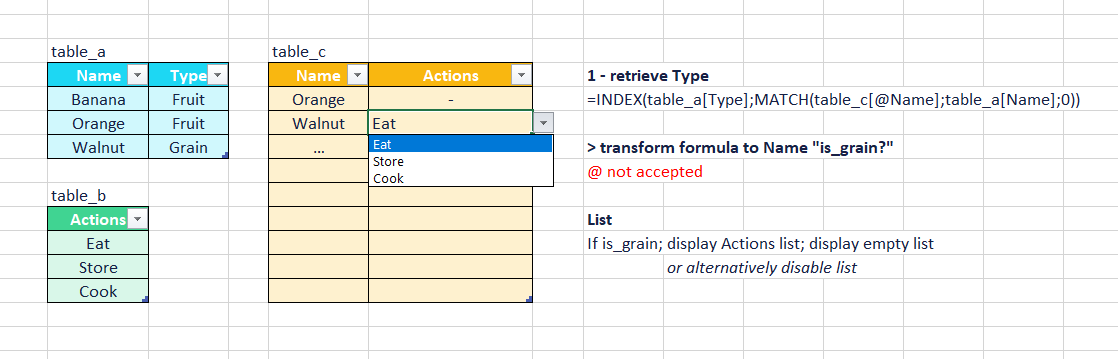

Badoumba Does the attached workbook do what you are trying to achieve? Data Validation does not accept structured table references, so you have to define a name for each column that you want to reference. For example, I defined names for lstNames and lstTypes to be used in the INDEX / MATCH lookup, as well as Grain and Fruit to be returned by the INDIRECT function as follows:
=INDIRECT(INDEX(lstTypes; MATCH($D3; lstNames; 0)))
I'm not exactly sure if this is what you were going for. Check it out and see...

Yes, perfectly! A big thank you for the tip!.
Just for the sake of understanding, can $D3 be replaced by a name also? I tried with lstName_c (=table_c[Name]) but it is not working.
- djclementsJan 21, 2024Silver Contributor
Badoumba Include the "@" symbol to indicate "This Row". Also, be sure to include the table name in the reference. For example, lstName_c: =table_c[@Name].
Having said that, the whole thing can be simplified by defining a name called lstActions with the following formula:
=INDIRECT(INDEX(table_a[Type]; MATCH(table_c[@Name]; table_a[Name]; 0)))Then just use =lstActions as the Data Validation list source (see attached). Cheers!