Forum Discussion

Lulu4466660
Nov 06, 2019Copper Contributor
Specifically select column 3 to 156 and line 2 to 179 automatically from a database
I want specifically select column 3 to 156 and line 4 to 179 automatically from a database. How to do it?

Abiola1
Nov 06, 2019MVP
Hello,
Bases on your question, there is need to use Macro. Kindly follow the steps below
1. In your Sheet, execute ALT + 11 to open Visual Basic for Applications editor
2. In the Insert drop down, select Module
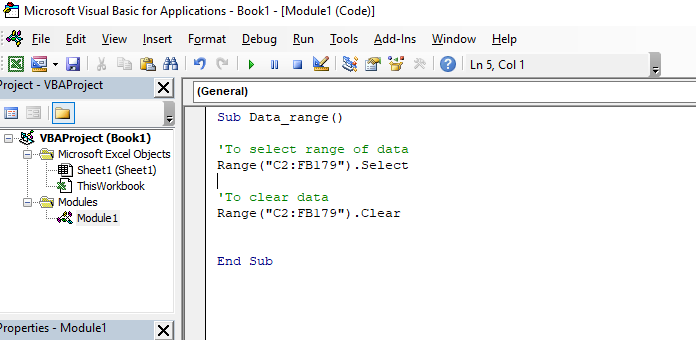
3. In the code window, execute the single line of code as follows
Sub Data_range ()
Range("C2:FB179").Select
End Sub
4. Execute F5 to run the code.
The data range will be selected on your spreadsheet. (See the attached picture)
Regards
Bases on your question, there is need to use Macro. Kindly follow the steps below
1. In your Sheet, execute ALT + 11 to open Visual Basic for Applications editor
2. In the Insert drop down, select Module
3. In the code window, execute the single line of code as follows
Sub Data_range ()
Range("C2:FB179").Select
End Sub
4. Execute F5 to run the code.
The data range will be selected on your spreadsheet. (See the attached picture)
Regards