Forum Discussion

Sorting dates in Excel from oldest to newest is not working
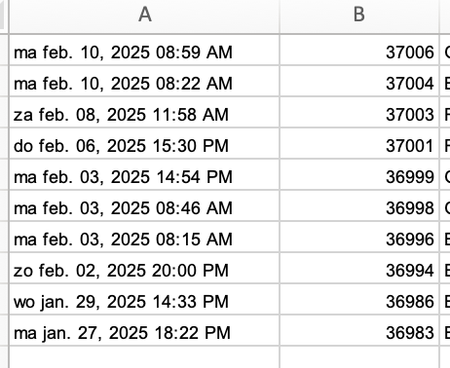

Hi JK,
Thanks for your reply. I am actually opening an Excel file and not a CSV file. I tried to split, as you said, and eventually it may work, but too much of a hassle as I have to download these files on a daily basis. I just have to find an easier solution 😅 But thanks!

If this is a daily download to the same folder, I would set up a query that uses Get Data, From File, From Folder. Click Transform and filter the list for the correct folder (it adds subfolders by default, you may not want that). Next, sort the list of files with the most recent at the top, and only keep the first row. Expand the data of the file that remains and then follow the date steps I mentioned before. Now all you need to do in future is refresh your query to get your latest download into something useful.