Forum Discussion

Sorting column groups having shared rows?
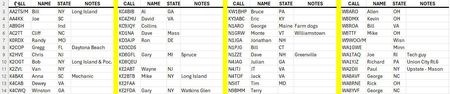

I'm sure one of the true wizards here will have a more elegant solution than this, but this will do for starters. In the attached, I used part of a downloaded file showing prices for some stocks and options. In the future, you could help us help you by attaching not an image but an actual Excel database. It would also be prudent not to use real call signs and names, as I suspect you have done here.
First, I would separate your raw database from this "dashboard" or output display. (In general, separating input (and a resulting database) from output is a good idea because it helps avoid the problem you're facing.) Do your sort of the entire database before extracting the data. On my sample file, you can change the sort to see how the display immediately reflects the new order.
Then avail yourself of one or more of the Dynamic Array functions. In this case--and this is admittedly kludgy--I just chose the TAKE function and set some cell references in the top row, taking advantage of the INDIRECT function to give the TAKE function its first row.
Note: If you've never used Dynamic Array functions before, one thing you need to be aware of is this: a single formula produces an array. In this case, I've only entered a formula in three cells (H3, L3 and P3).
Have fun: I'll play with it some more to come up with something--I'm sure it's possible--where a single dynamic array function would produce your entire desired array.