Forum Discussion

rfvanb
Aug 25, 2023Copper Contributor
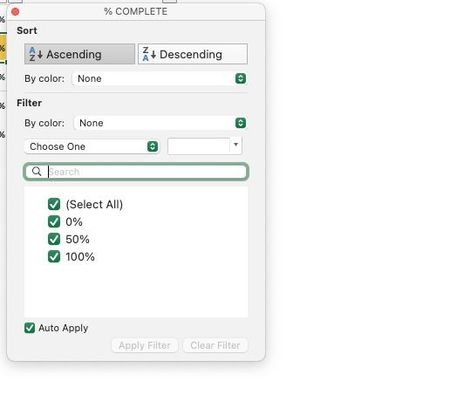
Sort/Dropdown Dialog
This question is probably very rudimentary for many but I cannot figure out how to create this type of dropdown box. Any assistance is appreciated

Riny_van_Eekelen
Aug 28, 2023Platinum Contributor
rfvanb It's a simple filter button that you can put on the top row of any data range (no empty rows or columns) by clicking on Sort & Filter, then Filter in the Home ribbon.
That said, when you create a structured Excel table from a regular range by pressing cmd-T (indicate if the range has headers or not), Excel will create the filter buttons for you.
Alternatively, select the data range and then press Table on in the Tables group on the Insert ribbon.
HansVogelaar That specific template comes up on a Mac only. Can't see it on the PC.

HansVogelaar
Aug 28, 2023MVP
I suspected that, thanks for the confirmation, Riny.
 rfvanbAug 28, 2023Copper Contributor
thank you for your help. That clarifies. HansVogelaar