Forum Discussion

CalasidA
Nov 25, 2020Copper Contributor
SOLVED - Error message instead the calculation of an correct COUNTIF formula.
Hi everybody,
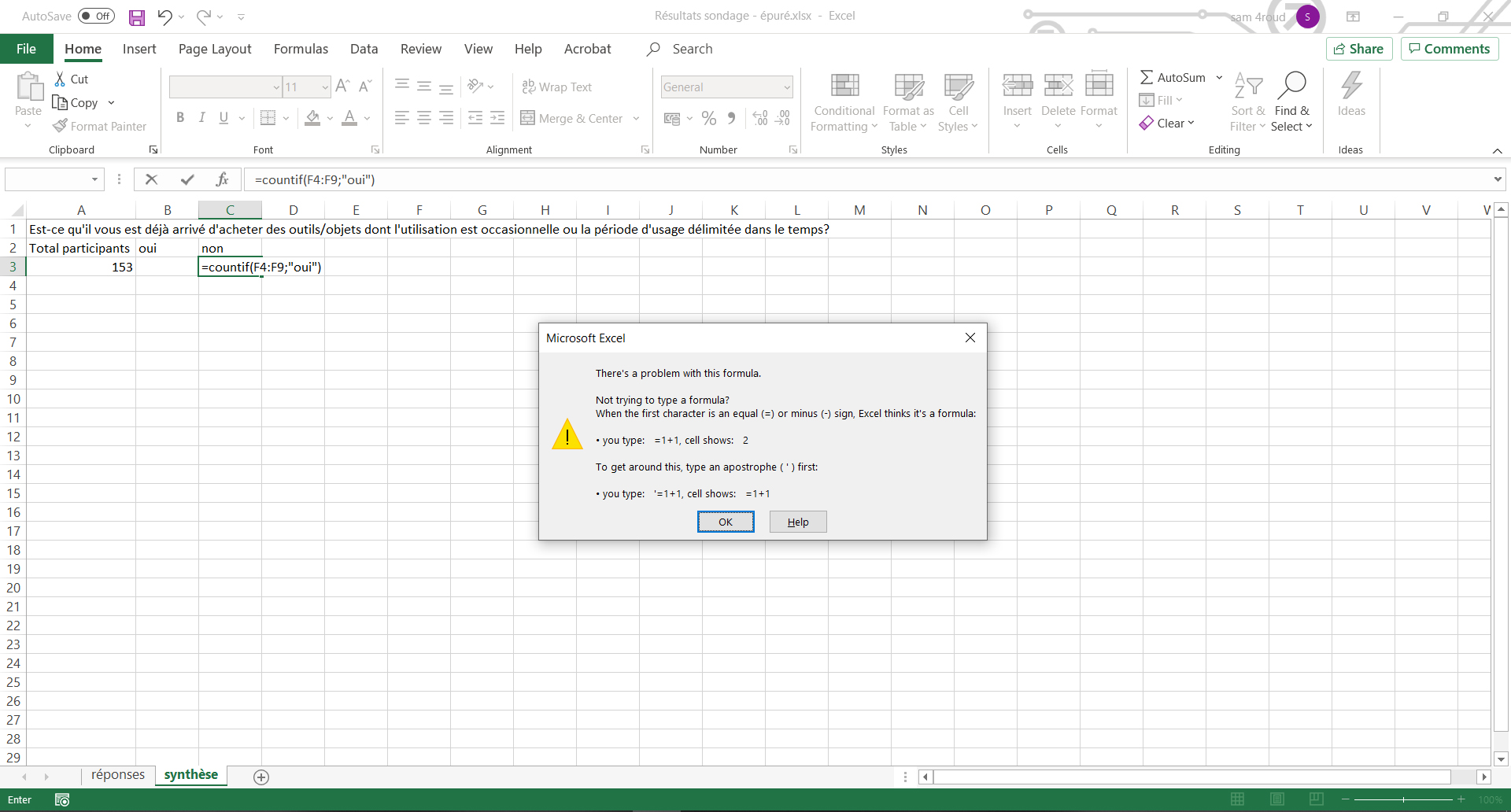
Excel is supposed to be logical, but I can't recognize it. My COUNTIF formula is exact and yet it refuses to compute it by sending me an error message (see attached picture). I tried several variants, to close and reopen the program, but nothing works. Any idea how to solve this problem?
Many thanks
C.
3 Replies
If you use a point as decimal separator, you should use comma to separate the arguments of a function:
=COUNTIF(F4:F9,"oui")
- it is a common problem, using the wrong arguments separator
 CalasidACopper Contributor
And common problem when you juggle between computers configured with different languages... Never paid attention to this difference in separator before. Thanks for your help!
Best!
C