Forum Discussion

Slicer tool help
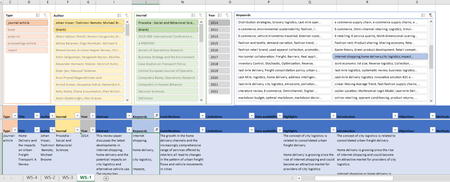
- Jun 30, 2022
joshuarnold AFAK Slicers are just "easy" ways to filter based on values but do not inherently create keyword lists or anything like that. Basically look at the drop down from those little arrows at the top of the column and you get the following filter/sort options:
In the bottom left is a full list of unique values in that column (i.e. "p1", "p2", etc... in this case) and a slicer is just a prettier/easier way to use that box/area of the dropdown.
If you want to filter by a key word, use this drop down, goto Text Filters and Select "Contains..." as illustrated above and then you can type in a keyword.
Alternatively you can create a filtered table output on another page for example using FILTER() something like this:
=FILTER(LitTable, ISNUMBER(SEARCH("put ref here to cell with keyword",LitTable[Keywords])))

joshuarnold AFAK Slicers are just "easy" ways to filter based on values but do not inherently create keyword lists or anything like that. Basically look at the drop down from those little arrows at the top of the column and you get the following filter/sort options:
In the bottom left is a full list of unique values in that column (i.e. "p1", "p2", etc... in this case) and a slicer is just a prettier/easier way to use that box/area of the dropdown.
If you want to filter by a key word, use this drop down, goto Text Filters and Select "Contains..." as illustrated above and then you can type in a keyword.
Alternatively you can create a filtered table output on another page for example using FILTER() something like this:
=FILTER(LitTable, ISNUMBER(SEARCH("put ref here to cell with keyword",LitTable[Keywords])))
