Forum Discussion

Mmg_88
May 11, 2023Copper Contributor
Slicer Filter
Hi all, I have done a Slicer in excel, and now I would like to use SUMIF function, where the criteria is the number that I have filtered in the Slicer. Do you know if it is possible to do that? ...
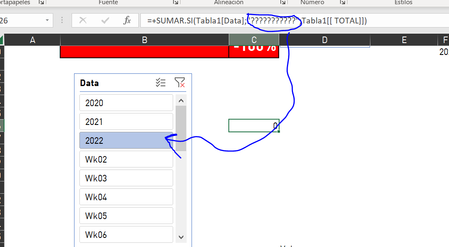

Mmg_88
May 11, 2023Copper Contributor
No... I tryied, but I also need to add a condition that I can't (or I don't know how) use in SUBTOTAL function, that's why I want to use sumif.

Martin_Weiss
May 11, 2023Bronze Contributor
Hi Mmg_88
ok. Then I have a different suggestion.
You would need to add a helper column to your data table, where you put an AGGREGATE formula. This formula returns a 1 if the respective line is visible or a 0 if it is not visible (e.g. due to a filter). Here is an example.
The formula in my helper column D is
=AGGREGATE(3,5,[@category])
And in C1 the INDEX/MATCH formula gets always the first visible value from the category column:
=INDEX(Table1[category],MATCH(1,Table1[visible?],0))
Maybe this helps?
- Mmg_88May 11, 2023Copper ContributorActually it helps. This function didn't work (in my Excel at least it didn't work exactly like that, maybe because it is in spanish and "agregar" was not exactly the same), but thanks of your function description I could find the function that worked in my file [SUBTOTAL(103,a2)].
Many many thanks!!!