Forum Discussion

Simple automate script mangles number formatting
- May 29, 2024
Kipopstok The reason it fails is because your recorded code converts string values to numbers. But Office Script expects US syntax for the numbers. So the comma poses issues, as that is normally the thousands separator.
You could try this version of the script (adjust the ranges):
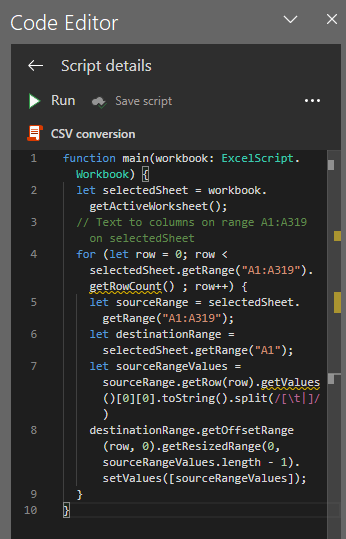
function main(workbook: ExcelScript.Workbook) {
	let selectedSheet = workbook.getActiveWorksheet();
	// Text to columns on range A1:A3 on selectedSheet
	for (let row = 0; row < selectedSheet.getRange("A1:A3").getRowCount() ; row++) {
		let sourceRange = selectedSheet.getRange("A1:A3");
		let destinationRange = selectedSheet.getRange("A1");
		let sourceRangeValues = sourceRange.getRow(row).getValues()[0][0].toString().replace(/,/g,".").split(/[\t|]/)
		destinationRange.setNumberFormat("General");
		destinationRange.getOffsetRange(row, 0).getResizedRange(0, sourceRangeValues.length - 1).setValues([sourceRangeValues]);
	}
}

Kipopstok The reason it fails is because your recorded code converts string values to numbers. But Office Script expects US syntax for the numbers. So the comma poses issues, as that is normally the thousands separator.
You could try this version of the script (adjust the ranges):
function main(workbook: ExcelScript.Workbook) {
	let selectedSheet = workbook.getActiveWorksheet();
	// Text to columns on range A1:A3 on selectedSheet
	for (let row = 0; row < selectedSheet.getRange("A1:A3").getRowCount() ; row++) {
		let sourceRange = selectedSheet.getRange("A1:A3");
		let destinationRange = selectedSheet.getRange("A1");
		let sourceRangeValues = sourceRange.getRow(row).getValues()[0][0].toString().replace(/,/g,".").split(/[\t|]/)
		destinationRange.setNumberFormat("General");
		destinationRange.getOffsetRange(row, 0).getResizedRange(0, sourceRangeValues.length - 1).setValues([sourceRangeValues]);
	}
}
JKPieterse Thank you! It works like a charm.
I'll go through the details to work out what you did, and then I'll have learned something new to encourage me to play around with it next time. That's the way I thought myself a wee bit of VBA as well. 🙂
- KipopstokMay 29, 2024Tin ContributorBy the way: I think it's a fail that Office Script doesn't look at the regional settings of the target machine to decide which syntax to use. But that's neither here or there. 😉