Forum Discussion

Shifting Text within Cell
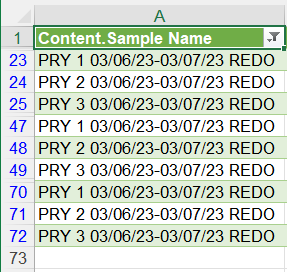
- May 25, 2023
Save the workbook.
Press Alt+F11 to activate the Visual Basic Editor.
Select Insert > Module.
Copy/paste the code into the module window.
With the insertion point anywhere in the code, press F5 to run it.
Switch back to Excel.
If you don't like the result, close the workbook without saving.
If it does do what you want, and if you'd like to re-run the macro later on, save the workbook as a macro-enabled workbook (*.xlsm).
If you don't need the macro anymore, you can save the workbook and ignore the warning that Excel displays.


Save the workbook.
Press Alt+F11 to activate the Visual Basic Editor.
Select Insert > Module.
Copy/paste the code into the module window.
With the insertion point anywhere in the code, press F5 to run it.
Switch back to Excel.
If you don't like the result, close the workbook without saving.
If it does do what you want, and if you'd like to re-run the macro later on, save the workbook as a macro-enabled workbook (*.xlsm).
If you don't need the macro anymore, you can save the workbook and ignore the warning that Excel displays.
- Mighty_AlMay 25, 2023Copper ContributorThank you for showing me new ways of using excel!