Forum Discussion

olopa67
Feb 18, 2022Brass Contributor
select and delete value of only unlocked cell
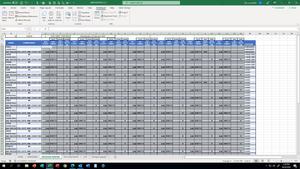
I need to delete all entries of unprotected cell only in a specific area of the table (the one in gray) i tried by record a macro using the find functionality via unlock format. if i manually perfor...
 Feb 18, 2022
Perhaps try this. But, it's not clear if your table headers are word wrapped with just a space in between the words or if there is a carriage return (Alt+Enter). If you used Alt+Enter, then you'll need to reference the range like:
Range ("Table1[[WED" & Chr(10) & "START]:[TUE" & Chr(10) & "SECTION]]")
Change table name from Table1 to whatever yours is called.
Sub ClearUnlocked()
     Dim searchRange As Range
     Dim unlockedCells As Range
     Dim foundCell As Range
     Dim firstAddress As String


     On Error GoTo ErrHandler

     Set searchRange = Worksheets("DETAILED ROSTER").Range("Table1[[WED START]:[TUE SECTION]]")

     Application.FindFormat.Locked = False

     With searchRange
          Set foundCell = .Find(What:="", after:=.Cells(1), SearchFormat:=True)

          If foundCell Is Nothing Then
               Err.Raise Number:=vbObjectError + 513, Description:="No unlocked cells found."
          End If

          Set unlockedCells = foundCell
          firstAddress = foundCell.Address

          Do
               DoEvents
               Set foundCell = .Find(What:="", after:=foundCell, SearchFormat:=True)
               Set unlockedCells = Union(unlockedCells, foundCell)
          Loop Until foundCell.Address = firstAddress
     End With

     If Not unlockedCells Is Nothing Then
          unlockedCells.ClearContents
     End If


ExitProc:
     Exit Sub

ErrHandler:
     MsgBox "Error " & Err.Number & ": " & Err.Description
     Resume ExitProc

End Sub
JMB17
Feb 18, 2022Bronze Contributor
Perhaps try this. But, it's not clear if your table headers are word wrapped with just a space in between the words or if there is a carriage return (Alt+Enter). If you used Alt+Enter, then you'll need to reference the range like:
Range ("Table1[[WED" & Chr(10) & "START]:[TUE" & Chr(10) & "SECTION]]")
Change table name from Table1 to whatever yours is called.
Sub ClearUnlocked()
     Dim searchRange As Range
     Dim unlockedCells As Range
     Dim foundCell As Range
     Dim firstAddress As String


     On Error GoTo ErrHandler

     Set searchRange = Worksheets("DETAILED ROSTER").Range("Table1[[WED START]:[TUE SECTION]]")

     Application.FindFormat.Locked = False

     With searchRange
          Set foundCell = .Find(What:="", after:=.Cells(1), SearchFormat:=True)

          If foundCell Is Nothing Then
               Err.Raise Number:=vbObjectError + 513, Description:="No unlocked cells found."
          End If

          Set unlockedCells = foundCell
          firstAddress = foundCell.Address

          Do
               DoEvents
               Set foundCell = .Find(What:="", after:=foundCell, SearchFormat:=True)
               Set unlockedCells = Union(unlockedCells, foundCell)
          Loop Until foundCell.Address = firstAddress
     End With

     If Not unlockedCells Is Nothing Then
          unlockedCells.ClearContents
     End If


ExitProc:
     Exit Sub

ErrHandler:
     MsgBox "Error " & Err.Number & ": " & Err.Description
     Resume ExitProc

End Sub
olopa67
Feb 23, 2022Brass Contributor
thank you JMB17 it is working perfectly
really appreciated your help
really appreciated your help