Forum Discussion

Returning a result based on 1 of 4 other cells
 May 31, 2023
=IFERROR(VLOOKUP("TZ",$AI$10:$AJ$17,2,FALSE),"Null")
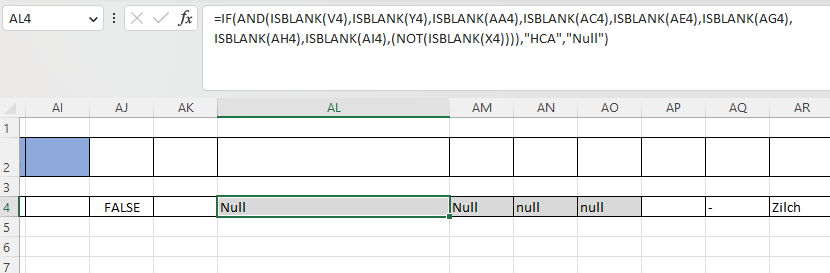
I've used this formula to return Null in all other cells in the sample file.
In your second screenshot the formula should return HCA_Pharm from cell AM4. Can you check if the entry in cell AM4 is "HCA_Pharm" or maybe "HCA_Pharm " with a space in the end?
The nested IF formula returns the intended results in my file. If it still doesn't work for you can you share a sample file without sensitive data or can you share the formulas which return Null in your file?
=IFERROR(VLOOKUP("TZ",$AI$10:$AJ$17,2,FALSE),"Null")
I've used this formula to return Null in all other cells in the sample file.
In your second screenshot the formula should return HCA_Pharm from cell AM4. Can you check if the entry in cell AM4 is "HCA_Pharm" or maybe "HCA_Pharm " with a space in the end?
The nested IF formula returns the intended results in my file. If it still doesn't work for you can you share a sample file without sensitive data or can you share the formulas which return Null in your file?

OliverScheurich That's got it, thank you so much for your help!