Forum Discussion

elisape
Jul 29, 2021Copper Contributor
Repeating values in a pivot table (instead of sum or count)
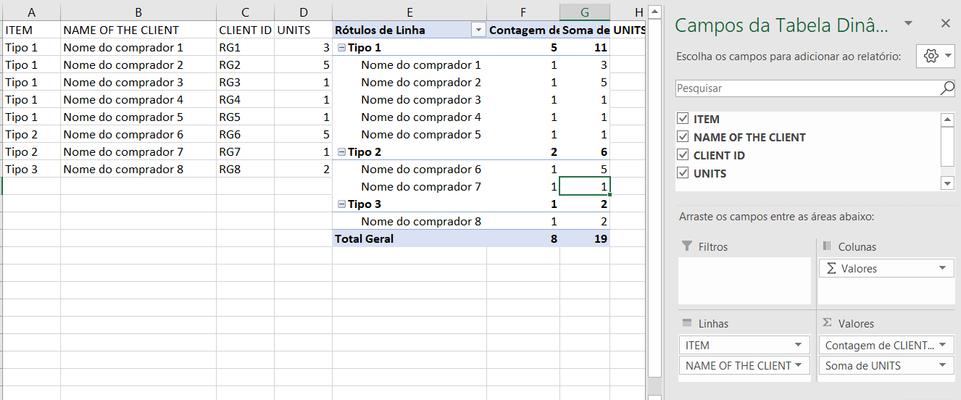
Hello, I'm using a pivit table to organize information, but I can't figure out how to just repeat the values I have in the original table, instead of bringing the sum. In the image above...
- Jul 30, 2021
1) Right click on any cell with this field and here Field Settings:
2) Here "Show item labels in tabular form" instead of this default
3) Ok


Subodh_Tiwari_sktneer
Jul 30, 2021Silver Contributor
If you don't want to summarize the Client ID, drag it into the Rows area instead of Values area. To do that, first uncheck the Client ID in the Field list and then click and hold the Client ID and drag it into the Rows area.
 elisapeJul 30, 2021Copper ContributorTahnk you for both your inputs. When I drag it into rows area, I get one row for each value. Is it possible to have one row for all values?
- Detlef_LewinJul 30, 2021Silver Contributor
- elisapeJul 30, 2021Copper Contributor
It would like like this:
Where I have the sum and summary for the number of unites, but for other values (like Client ID), I'd just show it.
