Forum Discussion

perathebird
Jul 16, 2021Copper Contributor
Reorder cells when dragging and replacing
Hello excel community.
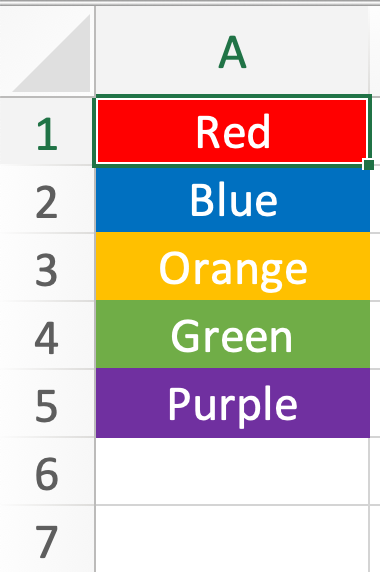
I want to make a system where I can see positions of cargo pallets in sliding storage.
Let's say that each cell(color) represents one type of cargo.
...
- Jul 16, 2021
Here is a suggested solution with VBA.
Sample file is included.
I would be happy to know if I could help.
NikolinoDE
I know I don't know anything (Socrates)
* Kindly Mark and Vote any reply if it helps please, as it will be beneficial to more Community members reading here.

NikolinoDE
Jul 16, 2021Platinum Contributor
Here is a suggested solution with VBA.
Sample file is included.
I would be happy to know if I could help.
NikolinoDE
I know I don't know anything (Socrates)
* Kindly Mark and Vote any reply if it helps please, as it will be beneficial to more Community members reading here.
 perathebirdJul 16, 2021Copper ContributorHey NikolinoDE, thanks for the reply.
What I wanted to do is to replace the last cell with the first one and move all cells (including the last one) one row above. But not deleting any values.- NikolinoDEJul 16, 2021Platinum Contributor'm a little irritated when you switch the first to the last, how are the cells supposed to go up one?
- perathebirdJul 16, 2021Copper ContributorOh, Sorry.
I figured that I need to replace A1 with A6 and then click a button.
Neat solution. Thanks!