Forum Discussion

aangus07
Sep 22, 2020Copper Contributor
Remove duplicates within multiple columns without removing adjacent data
I currently have 178 columns total filled with dates ranging from June to September. I need to remove the duplicate dates within each column and still select all of the columns. How can I remove...
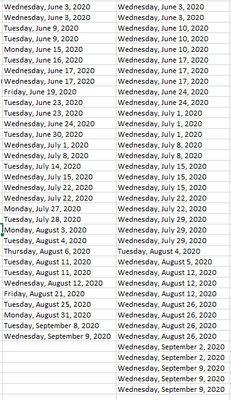
- Sep 23, 2020
Yes, sorry, that is
=IFERROR(
   INDEX(
       A$2:INDEX(A:A,COUNTA(A:A)),
       AGGREGATE(15,6,
           1/(COUNTIF(I$1:I1,A$2:INDEX(A:A,COUNTA(A:A)))=0)*
           (ROW(A$2:INDEX(A:A,COUNTA(A:A)))-ROW(A$1)),1
       )
),"")


HaveProblemsEveryday
Sep 22, 2020Copper Contributor
So what you are saying is that for each item, if it was sold on a certain date, you just want it to display the date once, not everytime someone buys the item?
HaveProblemsEveryday
Sep 22, 2020Copper Contributor
aangus07 Can I see the sheet? Or if there is confidential information, a sheet like that?
 aangus07Sep 22, 2020Copper Contributor
- HaveProblemsEverydaySep 22, 2020Copper Contributor
Thank you I will look at it
- aangus07Sep 22, 2020Copper Contributor
Thank you for your help!