Forum Discussion

Excel PivotTable in Browser
 Jan 23, 2022
Try this:
In the slicer settings, uncheck 'show items deleted from the data source' (para-phrasing).
If the above option is not available (depends on your excel version), check 'hide items with no data'
The formatting changes to indicate 'no data' for that filter. In your case, Admin.
I checked by changing one PM Designation to Admin. Refreshed. It works fine!
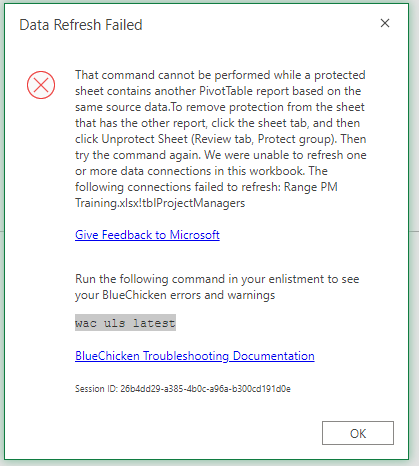
I didn't see anything about BlueChicken on the file you shared. Even when refreshing data on protected sheets. Check with your work place, if it has anything to do with cloud servers and network sharing.
Try this:
In the slicer settings, uncheck 'show items deleted from the data source' (para-phrasing).
If the above option is not available (depends on your excel version), check 'hide items with no data'
The formatting changes to indicate 'no data' for that filter. In your case, Admin.
I checked by changing one PM Designation to Admin. Refreshed. It works fine!
I didn't see anything about BlueChicken on the file you shared. Even when refreshing data on protected sheets. Check with your work place, if it has anything to do with cloud servers and network sharing.

Thanks for the quick reply - the solution with respect to the missing data, as you suggested, is in the "Retain items deleted from data source" setting shown below.