Forum Discussion

Excel Error: object reference not set to an instance of an object
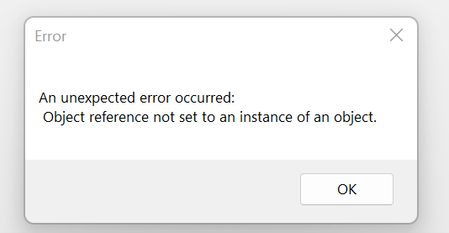
- Oct 23, 2023
The problem could be cause by a file that is automatically loaded when you start Excel, such as the personal macro workbook PERSONAL.XLSB or an add-in. Follow the steps described in Excel not responding, hangs, freezes or stops working to check which one of these it is.


I, too am having this issue with Sage 100 and one user. Disabling the add-in clears the error but I can't run Intelligence Reports. Reinstalling Sage and Office didn't help

- Nick_MilesOct 31, 2023Copper Contributor
Worked perfectly thank you Carnegie5930!
- Carnegie5930Oct 31, 2023Copper Contributor
Nick_Miles great to hear!
- Taylor-FFSOct 31, 2023Copper Contributor
Carnegie5930 This unfortunately did not work for me. Has anyone else figured out a solution to this? I am starting to see this pop up for more users as office 365 updates I assume.
 radartcOct 31, 2023Copper ContributorRolling back to version 2308 worked for us.
Also, anyone who needs to run Financial Reporting can't just remove those add-ins as they are needed for that. LindaZ2140Nov 01, 2023Copper Contributor
How do you rollback the Microsoft update? Our IT person said you can no longer rollback the updates. One of our computers is still on the 2309 version and is working fine. It was 2310 that caused the conflicts with Sage/Excel. Besides getting the Excel error every time, I can no longer export financials from Sage to Excel.
- HansVogelaarOct 31, 2023MVP
Good to hear that. Thanks for the heads-up.