Forum Discussion

Excel - Get Data from PDF is Missing

Hi Raphael1175
For Excel version, channel... Within Excel: go to File > Account, on the right side - i.e.:
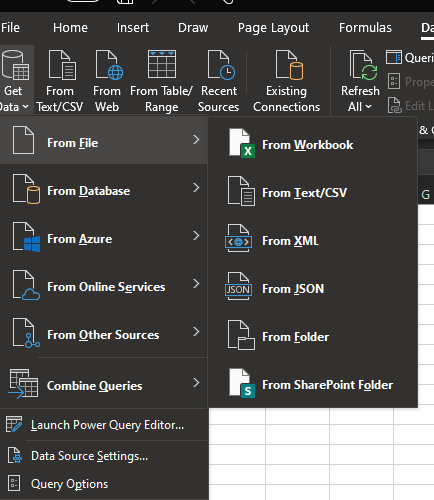
The From File > From PDF option (in Excel User Interface) isn't available in all versions of Excel & Channels (no idea for Excel 2019 Home & Student). Such option allows users to easily do something (through a wizard) that could be +/- complex otherwise
However, it's not because the option doesn't appear in the Excel User Interface that don't have access to the corresponding Power Query function (Pdf.Tables). To check this on your version of Excel:
- Download the attached file & open it
- In Sheet1 rigth-click on the following Table
- Select the Refresh option
Once the Refresh is complete, search in that Table for Pdf.Tables. If you find that occurence it means your version of Excel can import Tables from PDF files
If you have Pdf.Tables function let us know and someone will explain how to use it...

Lorenzo I tried it and pdf tables is showing. would you mind showing the next step?
- LorenzoJul 24, 2022Silver Contributor
Hi JPAC_64
Just updated an article I put together the other day, no more need to search for Pdf.Tables, after refreshing the green table you get:
(hopefully this will help Raphael1175 & shahdarshak ...)
The article is available here and explains the Next step when you get a You CAN import Tables from PDF files with the in used product
 shahdarshakJul 25, 2022Copper Contributor
Its working for me. Thank you for the article!
- LorenzoJul 25, 2022Silver Contributor
shahdarshak Glad this works for you + Thanks for providing feedback