Forum Discussion

Dimension of Array variable inside LET FUNCTION does not match dimension of the Table assigned
- Jun 19, 2024
gfpcp All of the variables used in the JE_Template definition are array objects (UR_Local, MCcy and Statement). To prove this, temporarily use TYPE(UR_Local) or TYPE(MCcy) as the final calculation of your LET statement (in place of DIU_Upload)... the result will be 64 (type: array). As such, INDEX(MCcy,1) will return an array object containing a single value (e.g. {TRUE} instead of TRUE). The default behavior of the IF function when an array object is passed to the logical_test argument is as I described in my first response above.
To force an array containing a single logical value (Boolean) to return TRUE or FALSE (type 4) instead of {TRUE} or {FALSE} (type 64), use the implicit intersection operator (@). For example, try changing the definition of JE_Template as follows:
JE_Template, IF(
    @INDEX(UR_Local, Statement) < 0,
    IF(@INDEX(MCcy, Statement), Table_4, Table_2),
    IF(@INDEX(MCcy, Statement), Table_3, Table_1)
)
I hope that makes sense. Please see the attached sample workbook, if needed...

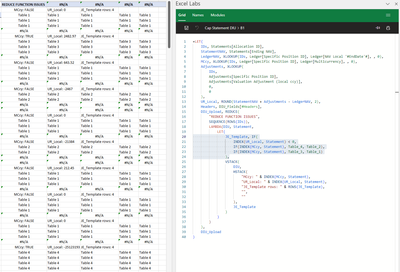
gfpcp The resolution of the screenshot provided is too small to read (400x272). It would be best to share the entire formula using the "Insert/Edit code sample" </> button when posting a question or reply.
Based on your description, however, it would appear that you are passing an array object to the logical_test argument of the IF function (or the index_num argument of the CHOOSE function). When the logical_test is an array of values (or an array containing a single value, e.g. {TRUE}), the value_if_true and value_if_false arguments are automatically resized to be the same dimensions. Arguments containing a single value or vector (single row or column) are repeated to fill the same number of rows/columns of the largest array, whereas arguments containing 2D arrays are expanded to fit the same number of rows/columns of the largest array (new rows/columns are filled with #N/A).
For more information, please see: Weird Results from Array Manipulation

Thanks djclements here is the formula:
=LET(
    IDs, Statements[Allocation ID],
    StatementNAV, Statements[Ending NAV],
    LedgerNAV, XLOOKUP(IDs, Ledger[Specific Position ID], Ledger[NAV Local '#EndDate'#], , 0),
    MCcy, XLOOKUP(IDs, Ledger[Specific Position ID], Ledger[Multicurrency], , 0),
    Adjustments, XLOOKUP(
        IDs,
        Adjustments[Specific Position ID],
        Adjustments[Valuation Adjustment (local ccy)],
        0,
        0
    ),
    UR_Local, ROUND(StatementNAV + Adjustments - LedgerNAV, 2),
    Headers, DIU_Fields[#Headers],
    DIU_Upload, REDUCE(
        "REDUCE FUNCTION ISSUES",
        SEQUENCE(ROWS(IDs)),
        LAMBDA(DIU, Statement,
            LET(
                JE_Template, IF(
                    INDEX(UR_Local, Statement) < 0,
                    IF(INDEX(MCcy, Statement), Table_4, Table_2),
                    IF(INDEX(MCcy, Statement), Table_3, Table_1)
                ),
                VSTACK(
                    DIU,
                    HSTACK(
                        "MCcy: " & INDEX(MCcy, Statement),
                        "UR_Local: " & INDEX(UR_Local, Statement),
                        "JE_Template rows: " & ROWS(JE_Template),
                        "",
                        ""
                    ),
                    JE_Template
                )
            )
        )
    ),
    DIU_Upload
)
- djclementsJun 19, 2024Silver Contributor
gfpcp All of the variables used in the JE_Template definition are array objects (UR_Local, MCcy and Statement). To prove this, temporarily use TYPE(UR_Local) or TYPE(MCcy) as the final calculation of your LET statement (in place of DIU_Upload)... the result will be 64 (type: array). As such, INDEX(MCcy,1) will return an array object containing a single value (e.g. {TRUE} instead of TRUE). The default behavior of the IF function when an array object is passed to the logical_test argument is as I described in my first response above.
To force an array containing a single logical value (Boolean) to return TRUE or FALSE (type 4) instead of {TRUE} or {FALSE} (type 64), use the implicit intersection operator (@). For example, try changing the definition of JE_Template as follows:
JE_Template, IF(
    @INDEX(UR_Local, Statement) < 0,
    IF(@INDEX(MCcy, Statement), Table_4, Table_2),
    IF(@INDEX(MCcy, Statement), Table_3, Table_1)
)
I hope that makes sense. Please see the attached sample workbook, if needed...
- gfpcpJun 20, 2024Copper ContributorThank you! the @ made the trick, I learned 2 things today: the reason of the behavior (from the "weird results..." post) and how to solve it for the kind of result I need. Thanks again!
- SergeiBaklanJun 20, 2024Diamond Contributor
In addition to great djclements explanation, INDEX(MCcy, 1, 1) here works the same way as @INDEX(MCcy, 1), i.e. returns single value instead of one element array.
