Forum Discussion

Excel
Mar 17, 2021Iron Contributor
Question related to add headers and hide sheet
Hello Everyone, i have created VBA, which successfully run as well as when i update data in particular sheet then it will give result in YEARLY REPORT sheet. But i have two problems - 1st probl...

Excel
Mar 18, 2021Iron Contributor
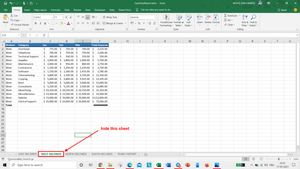
Sir how can we do total for JAN, FEB and MAR for all sheet then after run, it should come in YEARLY REPORT sheet.
Like -
And After run this code, it should be update in YEARLY REPORT. So what code will i write?
Please help...???
Here is a attach file.

HansVogelaar
Mar 18, 2021MVP
Here it is:
Sub AddTotalsJan2Mar()
    Dim ws As Worksheet
    Dim c As Range
    Dim a As String
    Dim r1 As Long
    Dim r2 As Long
    Application.ScreenUpdating = False
    For Each ws In Worksheets
        Set c = ws.Range("A:A").Find(What:="Division", LookAt:=xlWhole)
        If Not c Is Nothing Then
            a = c.Address
            Do
                r1 = c.Row + 1
                Set c = ws.Range("A:A").Find(What:="Total", After:=c, LookAt:=xlWhole)
                If c Is Nothing Then Exit Do
                r2 = c.Row - 1
                With c.Offset(0, 2).Resize(1, 3)
                    .FormulaR1C1 = "=SUM(R" & r1 & "C:R" & r2 & "C)"
                    .Style = "Currency"
                    .Font.Bold = True
                End With
                Set c = ws.Range("A:A").Find(What:="Division", After:=c, LookAt:=xlWhole)
                If c Is Nothing Then Exit Do
            Loop Until c.Address = a
        End If
    Next ws
    Application.ScreenUpdating = True
End Sub
Next?
- ExcelMar 18, 2021Iron Contributor