Forum Discussion

Excel
Mar 17, 2021Iron Contributor
Question related to add headers and hide sheet
Hello Everyone, i have created VBA, which successfully run as well as when i update data in particular sheet then it will give result in YEARLY REPORT sheet. But i have two problems - 1st probl...

HansVogelaar
Mar 17, 2021MVP
The solution is to modifiy the code not to select the worksheets or ranges.
Option Explicit

Public Sub FinalReportLoop()
    Dim i As Integer
    Dim ws As Worksheet
    Dim wsR As Worksheet
    Dim rng As Range

    Application.ScreenUpdating = False
    Set wsR = Worksheets("Yearly Report")

    wsR.Cells.Clear

    For i = 1 To Worksheets.Count - 1
        Set ws = Worksheets(i)

        AddHeaders ws
        FormatData ws
        AutoSum ws

        If i = 1 Then
            Set rng = wsR.Range("A1")
        Else
            Set rng = wsR.Range("A" & wsR.Rows.Count).End(xlUp).Offset(3)
        End If

        ws.UsedRange.Copy Destination:=rng
    Next i

    wsR.Columns("A:F").EntireColumn.AutoFit
    Application.ScreenUpdating = True
End Sub

Public Sub AutoSum(ws As Worksheet)
    Dim rng As Range
    Set rng = ws.Range("A1").End(xlDown)
    If rng.Value <> "Total" Then
        With rng.Offset(1, 0)
            .Value = "Total"
            .Font.Bold = True
        End With
        With ws.Range("F" & rng.Row + 1)
            .Formula = "=SUM(F2:F" & rng.Row & ")"
            .Font.Bold = True
        End With
    End If
End Sub

Sub AddHeaders(ws As Worksheet)
    If ws.Range("A1").Value <> "Division" Then
        ws.Range("A1").EntireRow.Insert
        ws.Range("A1:F1").Value = Array("Division", "Category", "Jan", "Feb", "Mar", "Total Expense")
    End If
End Sub

Sub FormatData(ws As Worksheet)
    With ws.Range("A1:F1")
        With .Interior
            .Pattern = xlSolid
            .PatternColorIndex = xlAutomatic
            .ThemeColor = xlThemeColorAccent1
            .TintAndShade = -0.249977111117893
            .PatternTintAndShade = 0
        End With
        With .Font
            .ThemeColor = xlThemeColorDark1
            .TintAndShade = 0
            .Bold = True
        End With
        .Borders(xlDiagonalDown).LineStyle = xlNone
        .Borders(xlDiagonalUp).LineStyle = xlNone
        .Borders(xlEdgeLeft).LineStyle = xlNone
        .Borders(xlEdgeTop).LineStyle = xlNone
        With .Borders(xlEdgeBottom)
            .LineStyle = xlContinuous
            .ColorIndex = 0
            .TintAndShade = 0
            .Weight = xlMedium
        End With
        .Borders(xlEdgeRight).LineStyle = xlNone
        .Borders(xlInsideVertical).LineStyle = xlNone
        .Borders(xlInsideHorizontal).LineStyle = xlNone
    End With
    ws.Range(ws.Range("C2"), ws.Range("C2").End(xlDown).End(xlToRight)).Style = "Currency"
End Sub ExcelMar 17, 2021Iron Contributor
Thank you for reply.
But sir when i hide the sheet (WEST SHEET) so it is showing all sheet data.Like -
So what should i write?
Here I am attach file which i have hide WEST sheet.
- HansVogelaarMar 17, 2021MVP
If you want to exclude hidden sheets:
Public Sub FinalReportLoop()
    Dim i As Integer
    Dim ws As Worksheet
    Dim wsR As Worksheet
    Dim rng As Range

    Application.ScreenUpdating = False
    Set wsR = Worksheets("Yearly Report")

    wsR.Cells.Clear

    For i = 1 To Worksheets.Count - 1
        Set ws = Worksheets(i)
        If ws.Visible = xlSheetVisible Then
            AddHeaders ws
            FormatData ws
            AutoSum ws

            If i = 1 Then
                Set rng = wsR.Range("A1")
            Else
                Set rng = wsR.Range("A" & wsR.Rows.Count).End(xlUp).Offset(3)
            End If

            ws.UsedRange.Copy Destination:=rng
        End If
    Next i

    wsR.Columns("A:F").EntireColumn.AutoFit
    Application.ScreenUpdating = True
End Sub
The other procedures remain the same.
- ExcelMar 17, 2021Iron Contributor
Thank you for the Reply😊
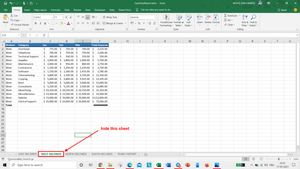
I have another doubt that - what if YEARLY REPORT sheet in middle.
Like -
After run this code, it give wrong outcome 2 times EAST and WEST sheet then come NORTH sheet.
Here is a attach file you can see that in YEARLY REPORT sheet.
So what will i add?