Forum Discussion

djhaystack
Feb 27, 2025Copper Contributor
Query Won't Load All Rows
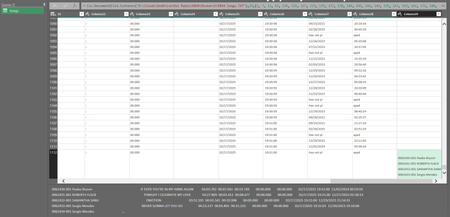
I've seen many topics and tried many solutions and still can't find the answer. Here's a plain text CSV. When trying to query it cuts off after around 1100 rows. I've tried this with multiple files a...

Kidd_Ip
Feb 27, 2025MVP
Please try below:
1. Check for Hidden Characters
- Even if you couldn't find odd characters, there might still be invisible ones (like non-printable ASCII characters) causing the issue.
- Use a text editor like Notepad++ or a tool like grep to search for and remove any hidden characters.
2. Verify Fixed-Width Columns
- Double-check the column widths you specified. If the data doesn't align perfectly with these widths, it could cause rows to spill into new columns.
- Open the file in a text editor and visually inspect the alignment.
3. Increase Row Limit
- Excel has a row limit of 1,048,576 rows per worksheet. If your data exceeds this limit, it will be truncated. Ensure your data fits within this limit.
4. Use Power Query
- Instead of importing the file directly, use Power Query (Get & Transform in Excel). Power Query is more robust for handling large datasets and can help identify issues during the import process.
5. Test with Smaller Data
- Create a smaller sample of your CSV file (e.g., the first 500 rows) and test the import. This can help isolate whether the issue is with the file size or specific rows.
6. Check Encoding
- Ensure the CSV file is saved with the correct encoding (e.g., UTF-8). Incorrect encoding can cause data misalignment.